
TSS and Trader Goods Profile: How Reusable Goods Data Simplifies Customs Declarations
- John Hall
- Customs Specialist at iCustoms.ai
A Trader Goods Profile, TGP, is a record in TSS of the goods a business regularly moves from Great Britain to Northern Ireland: description, commodity code, product reference, country of origin and category, held against your UKIMS EORI so it can be reused instead of retyped on every movement. It is created automatically when a business registers for UKIMS, and its purpose is to pre-populate the data your Internal Market Movement Information submissions need.
This guide covers what a TGP entry actually holds, how to create, categorise, update and delete one in the TSS portal, how it plugs into an IMMI submission, and how it differs from schemes like NIRMS and NIPHL that do not touch TGP at all.
What a Trader Goods Profile actually is
A TGP (Trader Goods Profile) is created automatically once a business is authorised under UKIMS and subscribed to the Customs Declaration Service; there is no separate application for the profile itself. It holds one record per product: goods description, commodity code, product reference, country of origin, category, and a supplementary unit where the category requires one.
The point of holding this data centrally is reuse. Without a profile, every movement means re-entering the same commodity data from scratch. With one, a business moving the same range of products repeatedly selects an existing entry instead.
TGP at a glance
| Question | Answer |
|---|---|
| What it is | A record of goods you move regularly, held against your UKIMS EORI |
| Who gets one | Created automatically on UKIMS authorisation and Customs Declaration Service subscription |
| What it holds | Goods description, commodity code, product reference, country of origin, category, and supplementary unit where required |
| What it is used for | Auto-populating Internal Market Movement Information submissions |
| Where you manage it | The Trader Goods Profile Management page in the TSS portal |
| What it does not decide | Whether a specific movement is eligible for IMMI; that depends on the goods, the authorisation and the movement conditions |
Finding your Trader Goods Profile in TSS
After logging into the TSS portal, select Trader Goods Profile from the navigation bar, then choose the relevant EORI from the dropdown. TSS retrieves the existing entries HMRC holds for that EORI and displays them on the Trader Goods Profile Management page.
Who in your organisation can create, edit or delete entries is a portal permissions setting rather than a TGP feature. Where several people or systems need access, that sits alongside your wider TSS integration setup, covered in our TSS API guide.
Creating a new TGP entry
- Open the Trader Goods Profile Management page and select Create New TGP Entry under Declaration Good Templates.
- Give it a unique Product Reference. Duplicates across entries are not allowed.
- Write a clear, specific Goods Description. Generic terms slow down review if HMRC ever queries the entry.
- Enter the Commodity Code, six, eight or ten digits depending on the goods. TSS validates it against the Northern Ireland Online Tariff.
- Enter the Country of Origin.
- Add a Supplementary Unit if the goods’ category requires one.
- Save the entry.

How categorisation works
Once you save an entry, TSS automatically assigns it a category, Standard, Category 1 or Category 2, based on the commodity code and origin data you entered. Category exemptions can move goods to a lower-risk category if they apply, so it is worth reviewing them rather than accepting the default. What each category actually means for eligibility, and the full Standard, Category 1 and Category 2 taxonomy, is set out in our overview of the Trader Support Service; this section is about how a TGP entry gets categorised, not what the categories mean.
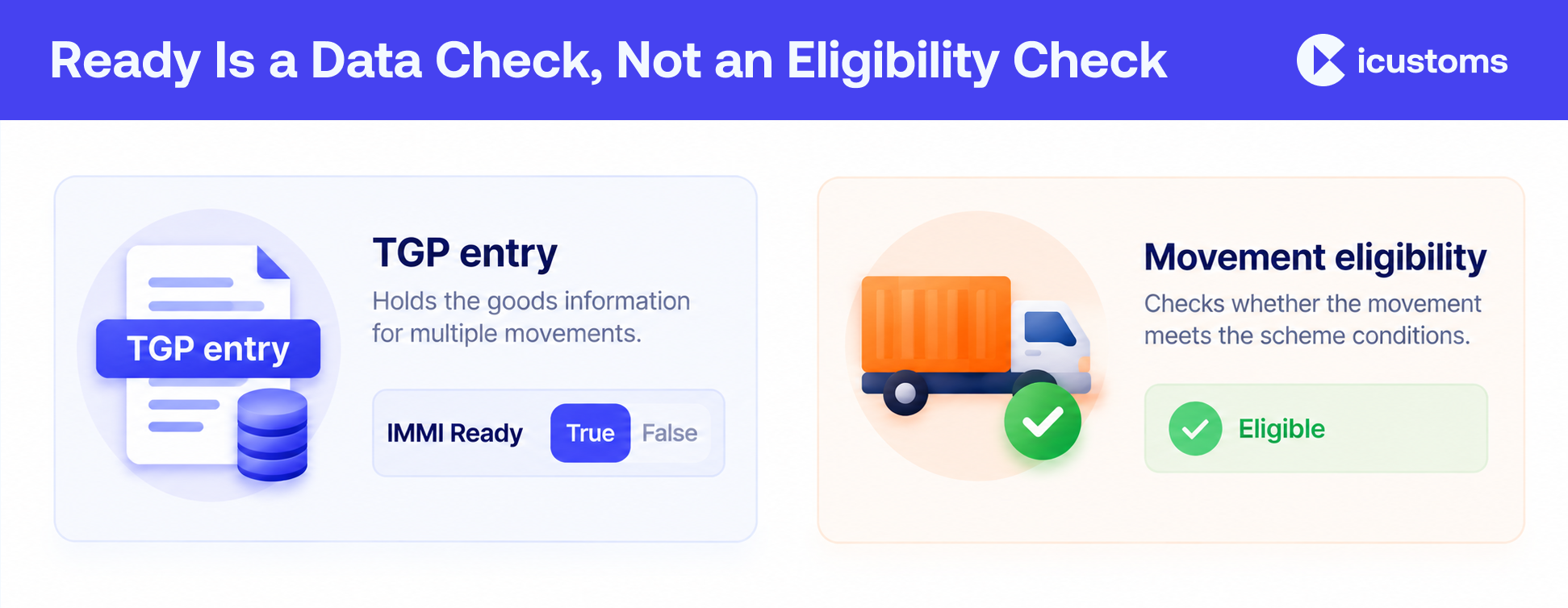
Each entry also carries an IMMI Ready field, true or false. That flag tells you whether the entry itself has enough correct data to be used on an IMMI submission. It is not the same as saying every movement using it will qualify for IMMI, since eligibility also depends on the movement’s own conditions.
Viewing, updating and deleting entries
Use keyword search or column sorting on the Management page to locate an entry, then click any field to open its View or Update screen. Change what needs changing, click Categorise to re-run the automatic categorisation against the updated data, and save. The status shown updates to reflect whether the entry is still ready for IMMI use.
To delete an entry, open its View or Update screen and select Delete, then confirm. This removes the entry from both HMRC’s Trader Goods Profile and the TSS management screens, not just from view.
Using your TGP on an IMMI movement
When completing an IMMI, select the relevant TGP entry from a dropdown, or search by product reference or goods description. The commodity code, origin and description populate automatically from the entry; what you still add by hand is the commercial detail specific to that movement, such as quantity, weight and value. The full IMMI submission walkthrough, including what happens after you submit, is covered in TSS and IMMI.
Why it is worth maintaining properly
A profile that is out of date causes the same problems a wrong commodity code causes on a full declaration, just further downstream. Fewer manual entries also means fewer chances to introduce a typo under pressure at the point of movement. Review entries periodically, particularly after a commodity code changes or a product’s origin shifts, rather than assuming an entry created months ago is still accurate.
What TGP is not
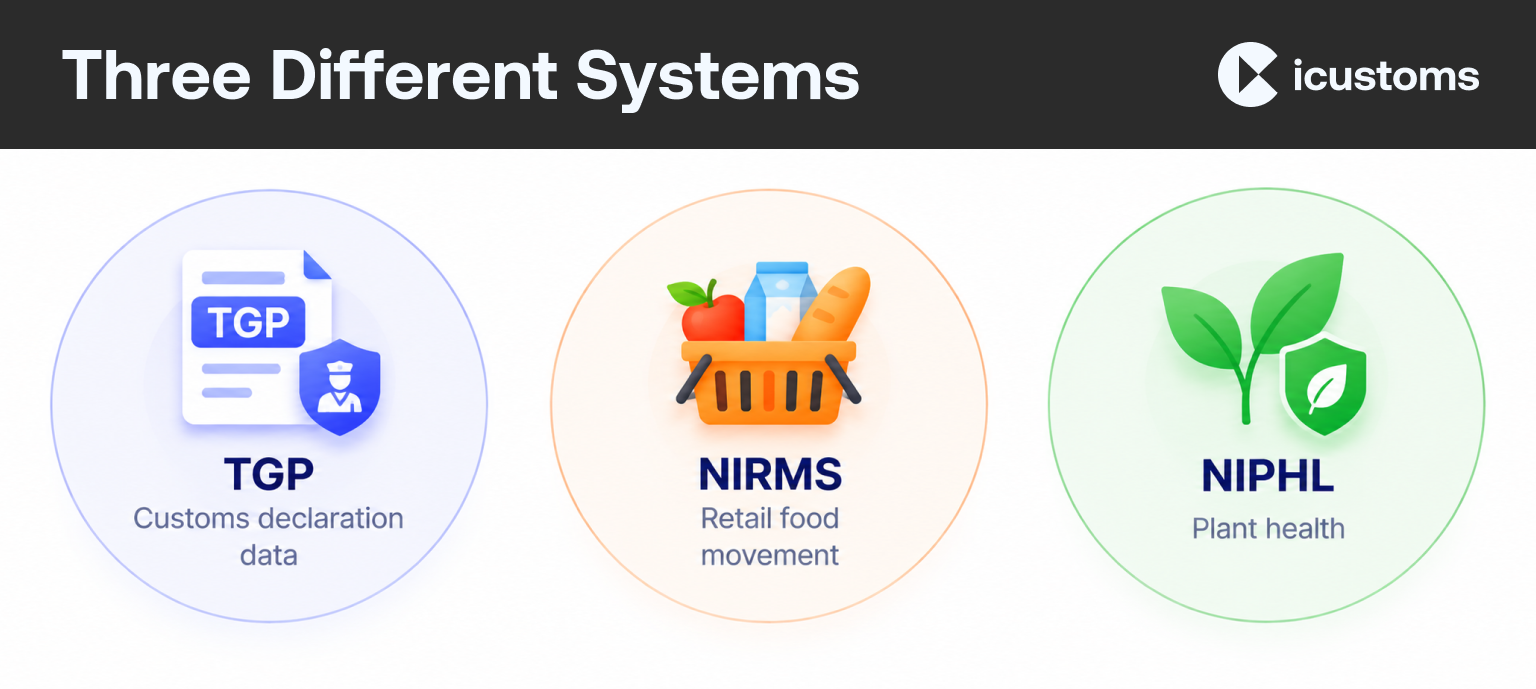
Two other schemes come up in the same conversations as TGP but do not use it. The Northern Ireland Retail Movement Scheme, NIRMS, covers retail food moving for final consumption in Northern Ireland and is registered separately through Government Gateway and Defra, not through TSS. The Northern Ireland Plant Health Label, NIPHL, covers plants and plant products. Both are registration routes in their own right, with their own eligibility rules, and neither creates or reads a Trader Goods Profile. If your business needs one of these, treat it as a separate project alongside TSS rather than an extension of it.
Common Myth
A TGP entry means never entering data for that product again. It does not. It removes the need to retype commodity data; the movement-specific commercial detail still has to be added every time.
An IMMI Ready entry guarantees the movement qualifies for IMMI. It does not. The flag reflects the entry’s own data quality, not whether a given movement meets IMMI’s eligibility conditions.
Anyone with TSS access can edit any TGP entry. Not necessarily. Portal permissions govern who can create, edit or delete entries.
TGP and UKIMS are the same thing. They are not. UKIMS is the HMRC authorisation; TGP is a data record that gets created automatically once you hold it.
Frequently Asked Questions
What is a Trader Goods Profile?
A record in TSS of the goods a business regularly moves from Great Britain to Northern Ireland, holding the description, commodity code, product reference, country of origin and category for each product, so the data can be reused rather than re-entered.
Do I need UKIMS to get a TGP?
Yes. A TGP is created automatically when a business is authorised under UKIMS and subscribed to the Customs Declaration Service. There is no separate application.
How do I find my Trader Goods Profile Management page?
In the TSS portal, select Trader Goods Profile from the navigation bar, then choose the relevant EORI from the dropdown.
How do I create a TGP entry?
From the Management page, select Create New TGP Entry, then complete the product reference, goods description, commodity code, country of origin and, where required, supplementary unit.
What does IMMI Ready mean?
It shows whether a TGP entry has the data quality needed to be used on an IMMI submission. It does not guarantee any particular movement using it will be IMMI-eligible.
How do I delete a TGP entry?
Open the entry's View or Update screen, select Delete, and confirm. It is removed from HMRC's Trader Goods Profile and from TSS, not just hidden from view.
Does TGP decide my goods category?
TSS assigns a category automatically based on the commodity code and origin you enter, and exemptions can adjust it. What each category actually means for eligibility is a separate question, covered in our overview of the Trader Support Service.
Is TGP the same as NIRMS?
No. NIRMS is a separate retail movement scheme registered through Government Gateway and Defra, for food moving for final consumption in Northern Ireland. It does not use or create a Trader Goods Profile.
Do I need a TGP if I use EIDR instead of IMMI?
Current guidance ties TGP's auto-population specifically to IMMI submissions. If you are using EIDR or the TSS Simplified Procedure instead, you may still need to enter the same commodity data by hand for that route, so check what applies to the declaration type you are using.
You may also like:
Managing Trader Goods Profiles by Hand?

iCustoms keeps every TGP entry accurate and ready for IMMI, across every client.
Subscribe to our Newsletter
About iCustoms
iCustoms is an all-in-one solution helping businesses automate customs processes more efficiently. With AI-powered and machine-learning capabilities, iCustoms is designed to streamline your all customs procedures in a few minutes, cut additional costs and save time.
See Goods Data Reuse in Action
Turn a maintained goods profile into fewer errors and faster declarations.