
Customs Invoice Software: A Guide to iInvoice for Customs Brokers and Agents
- John Hall
- Customs Specialist at iCustoms.ai
If your business files customs declarations for customers, every declaration is work you need to bill. One customer pays a fixed fee per declaration, another pays per item, a third has tiered rates agreed last spring, and a head office wants one invoice for all its branches. A spreadsheet copes with that until volumes grow.
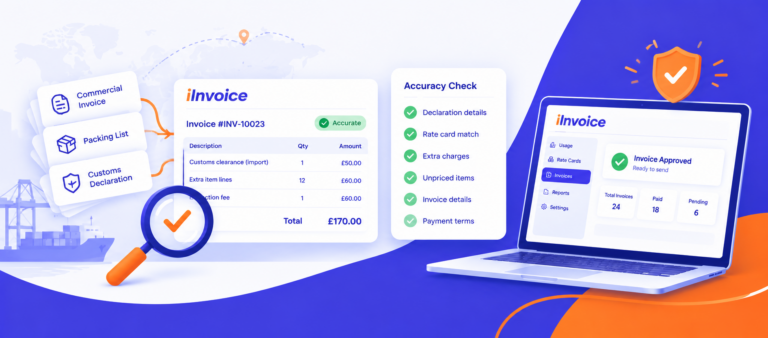
Customs invoice software is built for exactly this job. It turns the declarations you file into priced charges, and those charges into invoices your customers can check. iInvoice by iCustoms does this right inside the iCustoms platform, where the declarations are made.
This guide covers:
- What customs invoice software is, and how it differs from commercial invoice software
- Why billing declaration work gets more complex as you grow
- How iInvoice turns declaration usage into invoices, step by step
- What to look for when you choose customs invoice software
Key takeaways
- Customs invoice software bills the work behind customs declarations. It is built for customs brokers, customs agents and other providers who file declarations for their customers.
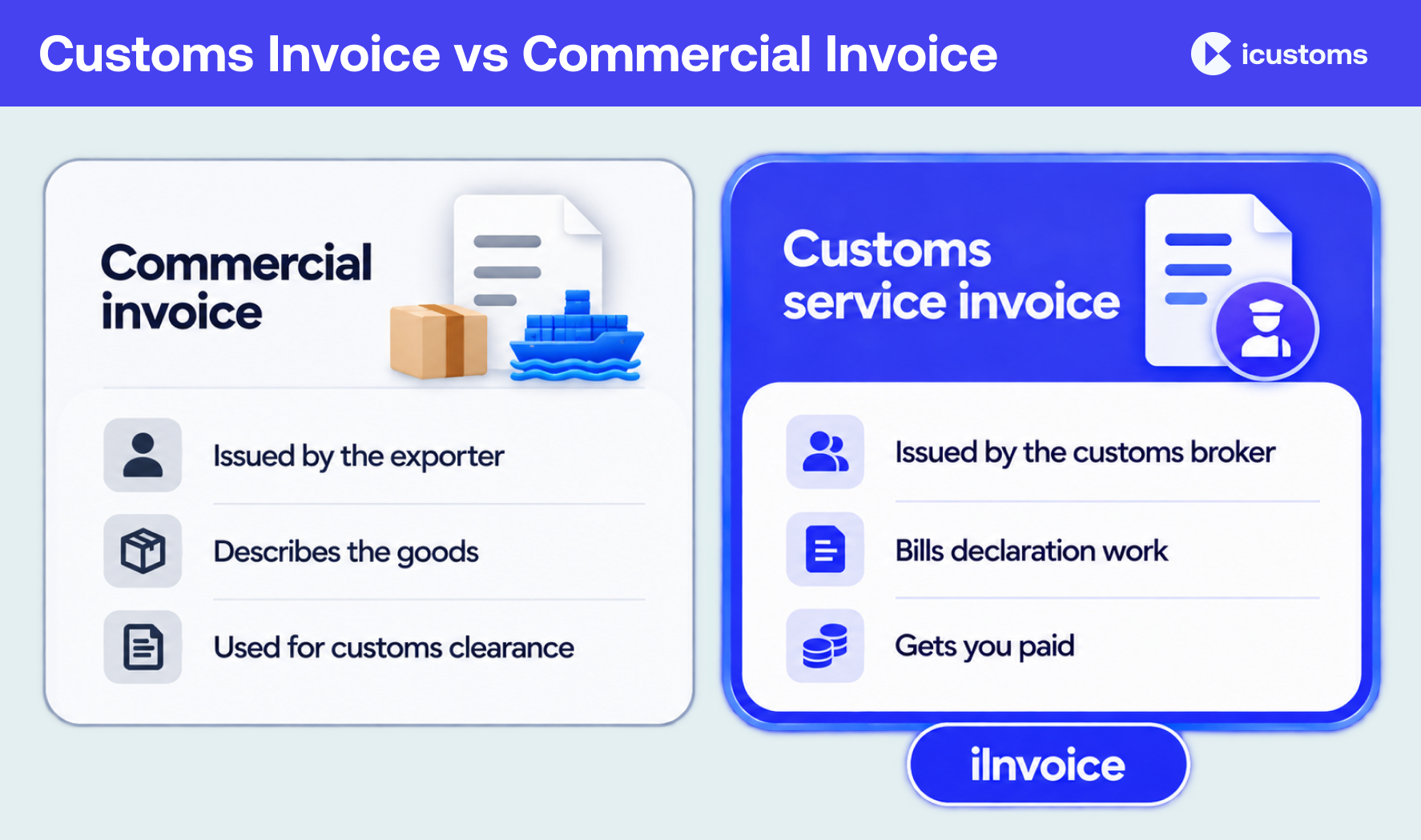
- It is not the same as a commercial invoice. A commercial invoice describes goods for customs. A customs service invoice charges a customer for the declaration work done on their behalf.
- Pricing is the hard part. Rates differ by customer, service, volume and date, and any charge that can’t be priced is easy to overlook.
- iInvoice prices usage with rate cards and turns it into invoices inside iCustoms. Unpriced charges are flagged, unbilled usage is listed by customer, and invoices can show how every amount was reached.
- Approval, payment tracking and repeating invoices are built in, so billing runs as one workflow from declaration to paid.
What is customs invoice software?
Customs invoice software is billing software for businesses that provide customs services. When a customs broker or agent files an import or export declaration for a customer, that declaration is a billable service. Customs invoice software records the usage, applies the price agreed with that customer and produces the invoice.
This is third-party customs billing: a service provider billing its customers for customs work performed on their behalf. The customer might be an importer, an exporter or another logistics business. The provider might handle a few declarations a week or thousands a month.
Generic invoicing tools can produce an invoice, but they don’t know what a declaration is. They can’t see which declarations were filed, which customer they belong to or which agreed rate applies. Someone has to bridge that gap by hand, and that is where the time goes.
Customs invoice software vs commercial invoice software
Search for customs invoice software and you will find two very different kinds of tool, because “customs invoice” is used in two ways:
- A commercial invoice, sometimes called a customs invoice, is a trade document. The seller or exporter issues it to describe the goods in a shipment, and customs authorities use it to check value, origin and classification.
- A customs service invoice is a bill. A customs broker or agent issues it to a customer for the declarations and related services they provided.
| Commercial invoice | Customs service invoice | |
|---|---|---|
| Who issues it | The seller or exporter | The customs broker, agent or other service provider |
| Who receives it | The buyer, with a copy used by customs | The provider’s customer |
| What it lists | Goods, quantities, values, origin and commodity details | Declarations filed and services provided, with the agreed charges |
| What it is for | Supporting customs clearance of the goods | Getting the provider paid for customs work |
| Software that produces it | Trade documentation tools | Customs invoice software such as iInvoice |
iInvoice handles the second kind. It doesn’t create commercial invoices; it bills the customs work your team carries out.
Why billing declaration work gets complex
Filing a declaration is one job. Billing it correctly is another, and the two rarely live in the same place. As a customs business grows, billing gets harder for a few predictable reasons:
- Prices vary by customer. Default rates, customer-specific agreements and group pricing can all apply in the same month.
- Pricing models vary by service. A fixed fee per declaration, a fee per item, tiered rates that fall as volume rises, or a fee that applies only when a condition is met.
- Agreements change over time. New rates start on a set date, and old ones need to stop.
- The payer isn’t always the customer you work for. A head office may pay for every branch.
- Usage builds up quickly. Declarations filed this week need to reach the right invoice, at the right price, before month end.
When all of this runs through spreadsheets, each step depends on someone copying data from one system into another. Invoices go out later, customers ask more questions, and billable work is easy to overlook.
What is iInvoice?
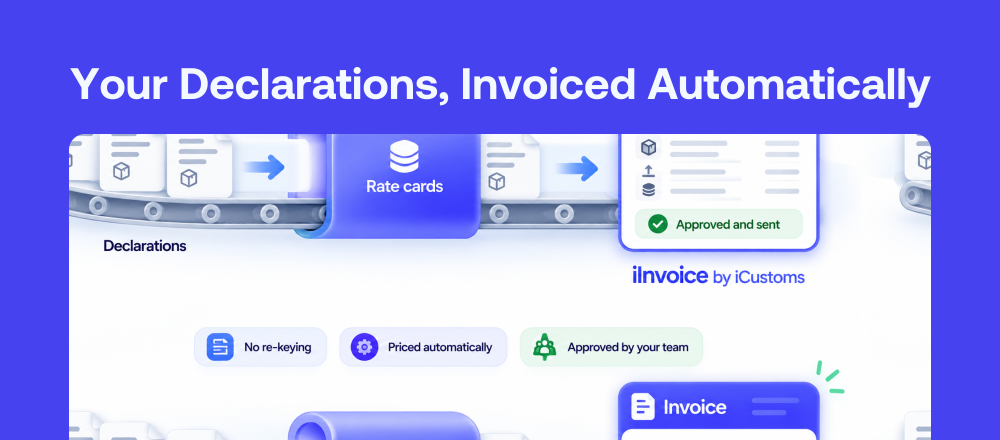
iInvoice is the invoicing module of iCustoms, the AI platform for effortless trade compliance. If you file customs declarations for your customers, iInvoice prices that usage and turns it into invoices, right inside iCustoms.
Because declarations and billing sit on the same platform, there is no export, no re-keying and no separate system to reconcile. The iCustoms modules you use are already listed as billable products, so their usage arrives ready to price. You add your own products only for extra services you sell. See the iInvoice product page for an overview.
How declaration usage becomes a customs invoice
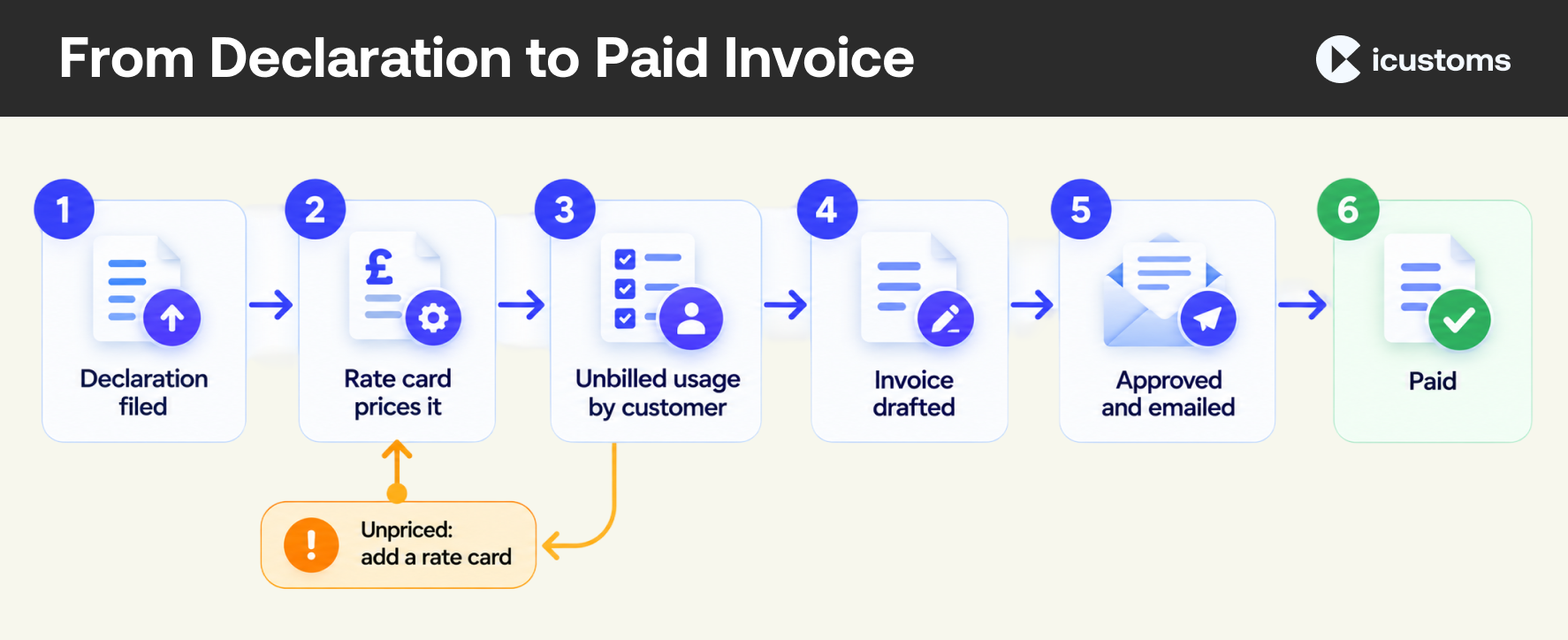
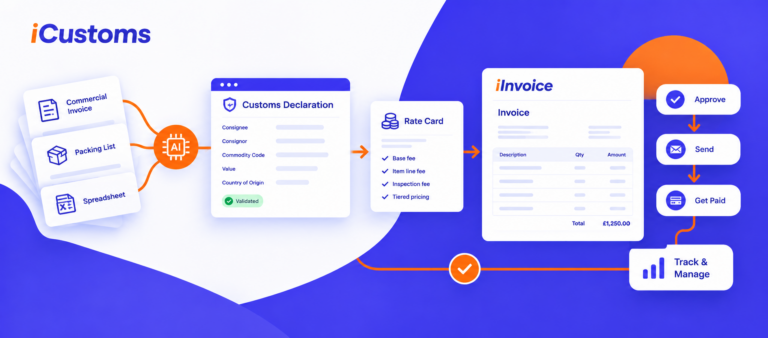
- A declaration is filed. Your team files a declaration for a customer in iCustoms, and the usage is recorded against that customer.
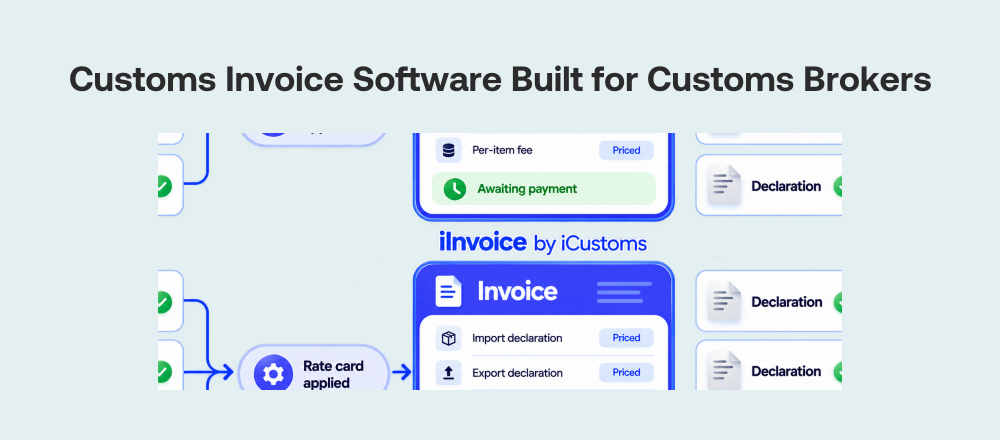
- A rate card prices it. iInvoice finds the rate card that applies to that customer and product, and applies the agreed pricing rules.
- Anything unpriced is flagged. If no rate card matches, the charge is marked as unpriced. Add or extend a rate card and it prices automatically.
- Unbilled usage builds up by customer. Priced charges wait in unbilled usage until they are invoiced, so you can see what is ready to bill and how long it has been waiting.
- An invoice is drafted. Choose the customer, and their priced usage comes in as invoice lines, grouped per product, per declaration or per item.
- It is reviewed and approved. Save it as a draft, submit it for approval if someone else signs invoices off, then approve it. Approval gives the invoice its number and locks it.
- It goes to the customer. Approve and email in one step, or print the PDF or share a link.
- Payment is tracked. Invoices move from awaiting payment to paid, overdue invoices stand out, and payment reminders can follow up for you.
Every amount on the invoice traces back to a declaration and a rate card. That is what makes customs invoicing quick to run and easy to check.
iInvoice features for customs invoicing
Rate cards that decide what you charge
A rate card sets the price for a product. It can apply to all customers as your default price, to one customer, or to a customer group, and it can run between set dates or apply with no end date. Each card can carry a tax rate and a linked discount.
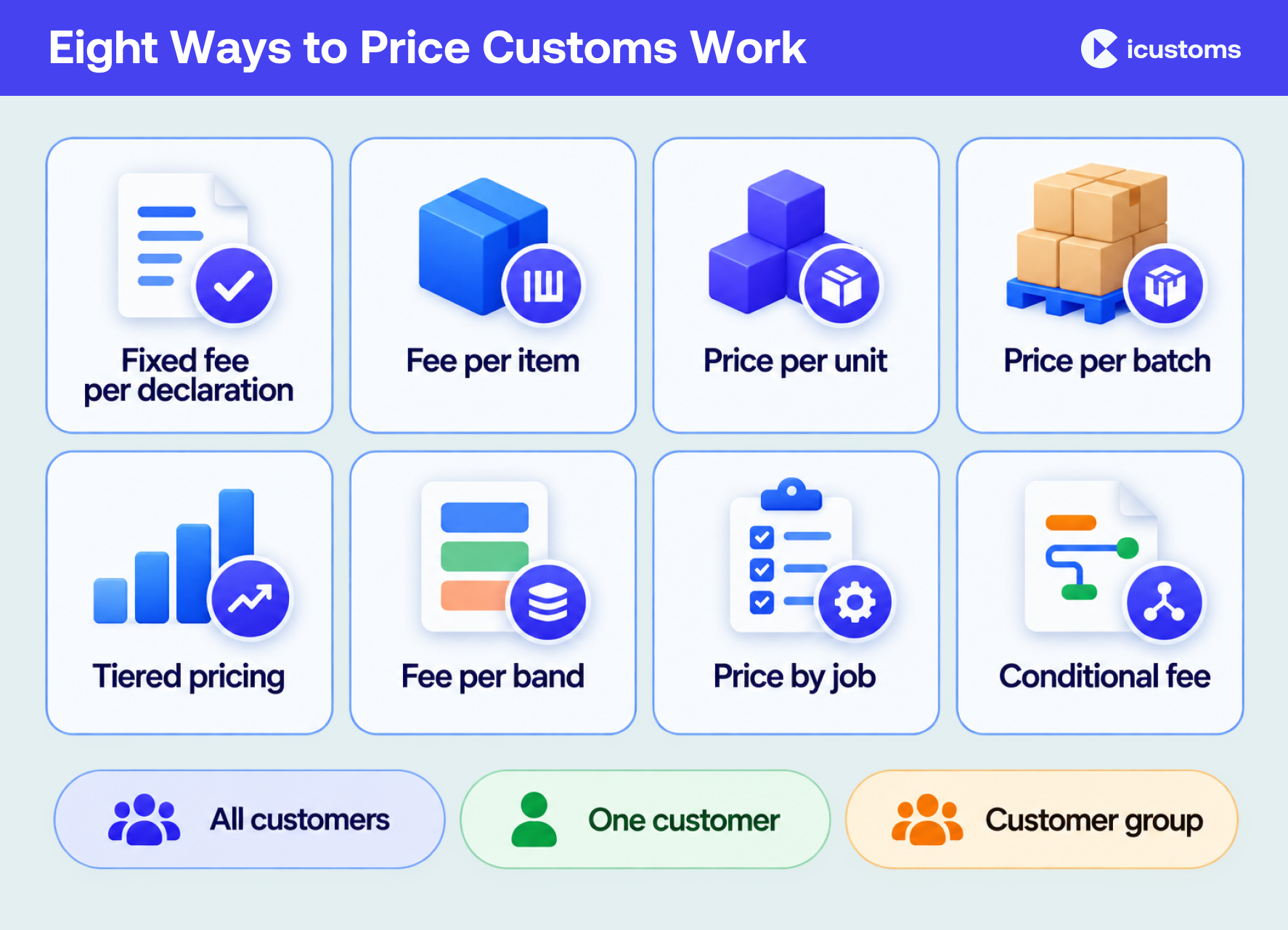
Pricing rules cover the models customs providers actually use:
- A fixed fee on every declaration
- A fee for each item
- A price per unit or per batch
- Tiered prices that get cheaper the more a customer uses
- A set fee per band
- A different amount depending on the job
- A fixed fee that applies only when a condition matches
Rules you use often can be saved to a shared library and attached to other cards, with an override price for any customer who pays differently. Suggested common customs and freight charges help you get started.
Unbilled usage and unpriced charges
iInvoice lists priced charges that haven’t been invoiced yet, by customer, along with any charge it couldn’t price. Seeing unbilled usage by age and by customer shows what is ready to bill and where a rate card needs attention, so every product you bill stays covered.
Customers, groups and billing accounts
Add each customer once as a contact. Put customers on the same price with a group, so one rate card covers them all. Use billing accounts to link several contacts to one payer, such as a head office paying for all its branches.
Invoices your customers can check
Choose how invoice lines are grouped: one line per product, per declaration or per item. The total is the same whichever you pick. For customers who want detail, the Explain view adds a breakdown of each declaration, showing how every amount was reached. You can also add your own lines and attach supporting files.
Invoice templates control how the PDF looks. The Freight and Customs Invoice layout is designed for billing declarations and filings, with your logo, accent colour and the details you choose to show, such as your VAT number or a tax column.
Approval, payment tracking and reminders
Invoices move through clear statuses: draft, pending approval, awaiting payment and paid. Search by number, reference or contact, export your invoice list, and switch payment reminders on or off. Once approved, an invoice is locked, so your records stay consistent.
Repeating invoices and billing settings
For regular customers, set up repeating invoices with a schedule, a first invoice date and payment terms, and choose whether each one is saved as a draft or approved. Settings cover tax rates, discounts, organisation details, base currency and invoice numbering.
If you are VAT registered, your invoices need details such as your VAT registration number, your business address and a unique invoice number. HMRC sets out the full list in its guidance on what invoices must include.
Manual customs billing vs iInvoice
| Task | Spreadsheets and generic invoicing | With iInvoice |
|---|---|---|
| Capturing billable work | Declarations copied or re-keyed from another system | Usage from iCustoms is recorded against each customer |
| Applying prices | Rates looked up by hand for each customer | Rate cards apply the agreed rules automatically |
| Spotting gaps | Missing charges found late, if at all | Unpriced charges flagged as soon as they appear |
| Building the invoice | Lines typed and totalled manually | Priced usage comes in as lines, grouped how you choose |
| Answering customer queries | Working back through spreadsheets | A per-declaration breakdown shows how each amount was reached |
| Approval and sending | Email chains and separate tools | Draft, approval and email in one place |
| Following up payment | Manual chasing | Payment statuses, overdue invoices and reminders |
| Regular customers | Invoices recreated every month | Repeating invoices on a schedule |
Who iInvoice is for
iInvoice is built for third-party customs service providers: businesses that file declarations on behalf of their customers and need to bill for that work.
- Customs brokers handling many customers, each with their own agreed rates
- Customs agents who want every declaration billed consistently
- Businesses with head offices and branches, where one payer covers several locations
- Finance and operations teams who want billing to start from declaration data, not spreadsheets
If you file declarations for others in iCustoms, iInvoice lets you bill that work in the same place.
Questions to ask before choosing customs invoice software
- Does it know which declarations were filed, and for which customer?
- Can it apply different prices per customer, per group and per date range?
- Which pricing models does it support: per declaration, per item, tiered, conditional?
- How does it flag work that can’t be priced?
- Can one payer cover several customers or branches?
- Can customers see how each charge was reached?
- Does it include approval, payment tracking and repeating invoices?
- What security standards does the provider hold?
Why choose iInvoice by iCustoms
- Built for customs work: prices declaration usage, not generic line items
- Inside iCustoms: declarations and billing on one platform, with no re-keying
- Flexible pricing: eight types of pricing rule, rate cards by customer or group, effective dates and shared rules
- Nothing slips through: unpriced charges and unbilled usage are visible by customer and by age
- Clear invoices: group lines your way and show a per-declaration breakdown
- In your control: drafts, approval, payment tracking, reminders and repeating invoices
- Trusted: iCustoms is ISO 27001:2022, ISO 9001:2015 and Cyber Essentials certified, and recognised by HMRC and Irish Revenue
Your team already does the customs work. iInvoice makes sure every declaration is priced, invoiced and paid.
Frequently Asked Questions
What is customs invoice software?
Customs invoice software is billing software for businesses that file customs declarations for their customers. It records the declarations filed, applies the price agreed with each customer and produces invoices. iInvoice by iCustoms does this inside the iCustoms platform.
Is a customs invoice the same as a commercial invoice?
Not in this context. "Customs invoice" is often used for the commercial invoice, the trade document an exporter issues to describe goods for customs clearance. For customs brokers and agents, customs invoicing means billing customers for the declarations and services provided. iInvoice handles the second.
Does iInvoice create commercial invoices?
No. iInvoice bills your customers for the customs work your team carries out. It turns declaration usage into priced charges and invoices.
How does iInvoice price customs declarations?
With rate cards. Each rate card sets the price for a product and can apply to all customers, one customer or a customer group, between set dates if needed. Pricing rules include fixed fees per declaration, fees per item, per unit or per batch pricing, tiered and banded prices, and conditional fees.
What happens if a charge can't be priced?
iInvoice flags it as unpriced, so it isn't lost. Add or extend a rate card that covers it, and the charge is priced automatically.
Can one customer pay for several branches?
Yes. Billing accounts link several contacts to one payer, for example a head office that pays for all its branches.
Can invoices show a breakdown for each declaration?
Yes. You can group invoice lines per product, per declaration or per item, and the Explain view adds a breakdown of each declaration showing how every amount was reached.
Does iInvoice support VAT invoices?
You can set up tax rates, add your organisation details and VAT number, and choose to show a tax column on your invoice template. HMRC's guidance lists everything a VAT invoice must include, so check it when you set up your details.
Can I set up repeating invoices for regular customers?
Yes. Choose how often the invoice repeats, the first invoice date and the payment terms, and whether each invoice is saved as a draft or approved.
You may also like:
Every Declaration Is Billable Work

Turn every declaration into a priced, ready-to-send invoice.
Subscribe to our Newsletter
About iCustoms
iCustoms is an all-in-one solution helping businesses automate customs processes more efficiently. With AI-powered and machine-learning capabilities, iCustoms is designed to streamline your all customs procedures in a few minutes, cut additional costs and save time.
Stop Losing Unbilled Declarations
Spot unpriced charges and bill every declaration on time.