
How to Check the Accuracy of Third-Party Customs Billing Software
- John Hall
- Customs Specialist at iCustoms.ai
When you file customs declarations for clients, two things have to be right: the declaration itself, and the invoice you send for filing it. Billing software that is quietly wrong costs you either way. Under-charge and you give away margin. Over-charge and you lose trust with a client.
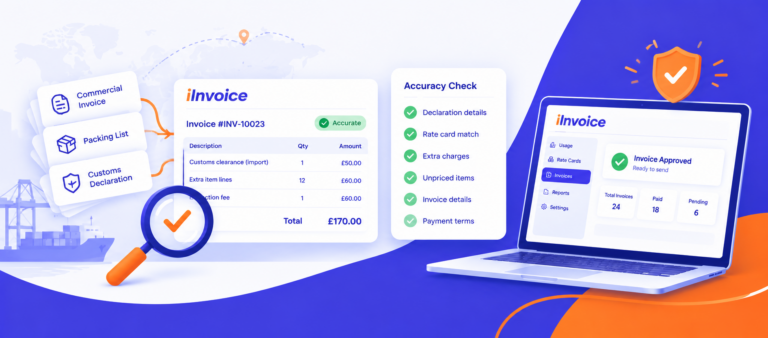
This guide gives customs brokers, agents, hauliers and couriers a practical six-step way to check the accuracy of their third-party customs billing software, and shows what accurate billing looks like in iInvoice by iCustoms.
What does "accurate" mean in customs billing?
| Layer | What must be right | Where to check it |
|---|---|---|
| Declaration accuracy | Commodity codes, customs value, origin, duty and import VAT | Tariff schedules, your source documents and your customs records |
| Billing accuracy | The fee for each declaration, extra lines, conditional charges and the invoice details | Each client’s agreed rates and the declarations you actually filed |
Customs declarations can be reviewed by HMRC for years after submission, so declaration accuracy matters long after clearance. This guide focuses on the second layer: making sure the invoices you send for that work are complete and correct.
A six-step accuracy check for customs billing software
1. Run a sample audit
Don’t try to check everything. Pick 10 to 50 recent declarations, depending on your volume, and recalculate each charge by hand from the client’s agreed rates. Include your largest clients, every declaration type you bill (import, export, transit) and any client whose rates changed recently. If your manual figure and the software’s figure differ, find out which is wrong before you change anything.
2. Reconcile billed against filed
The most common billing gap is work that was never billed. Count the declarations you filed for each client in the period and compare them with the declarations on that client’s invoices. Every declaration should appear once: not missing, not duplicated. For duties and import VAT, compare your records against your customs data rather than against your own invoices.
3. Stress-test the edge cases
Billing software rarely fails on a standard declaration. It fails on exceptions. Test:
- Tier and band thresholds: the declaration that crosses from one price tier to the next
- Extra-line charges: declarations just above and below the line limit
- Conditional fees: inspections, rush filings or other charges that apply only sometimes
- Rate changes: declarations filed either side of a new rate card’s start date
- Overlapping prices: a client with its own card who also sits in a group with a different price
- Branch billing: work for branches landing on the head office invoice
4. Review unpriced charges and manual overrides
Ask the software for every charge it couldn’t price and every invoice line someone edited or added by hand. Frequent overrides usually mean a rate card is missing or out of date. Fix the rule, not just the invoice.
5. Check the invoice itself
An accurate total on a flawed invoice still causes problems. Check numbering is sequential, organisation and client details are correct, tax is applied as intended and, if you are VAT registered, the invoice shows everything HMRC lists in its guidance on what invoices must include. Confirm that approved invoices can’t be silently changed.
6. Make it a routine
Run a light check every billing cycle and a fuller sample audit each quarter, or whenever you add a client or change rates. Keep a short log of what you checked and what you fixed, so your next audit starts from evidence.
Customs billing accuracy checklist
| Check | What good looks like |
|---|---|
| Sample recalculation | Manual and software figures match for every sampled declaration |
| Billed vs filed | Every filed declaration appears once on an invoice |
| Edge cases | Tiers, line limits, conditional fees and date changes price as agreed |
| Unpriced charges | Reviewed every cycle, none left ageing |
| Overrides | Rare, explained and followed by a rate card fix |
| Invoice details | Sequential numbers, correct VAT details, locked after approval |
How iInvoice builds accuracy into third-party customs billing
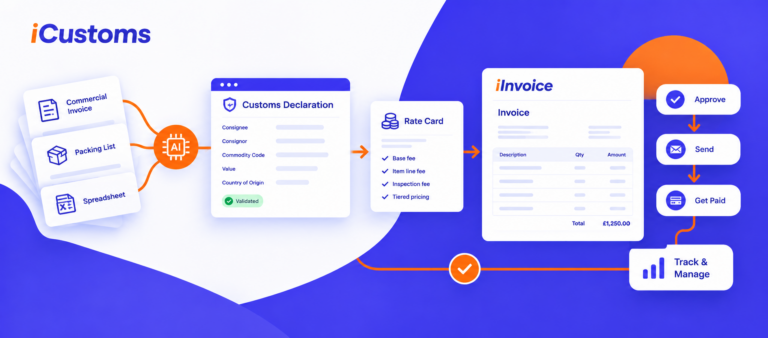
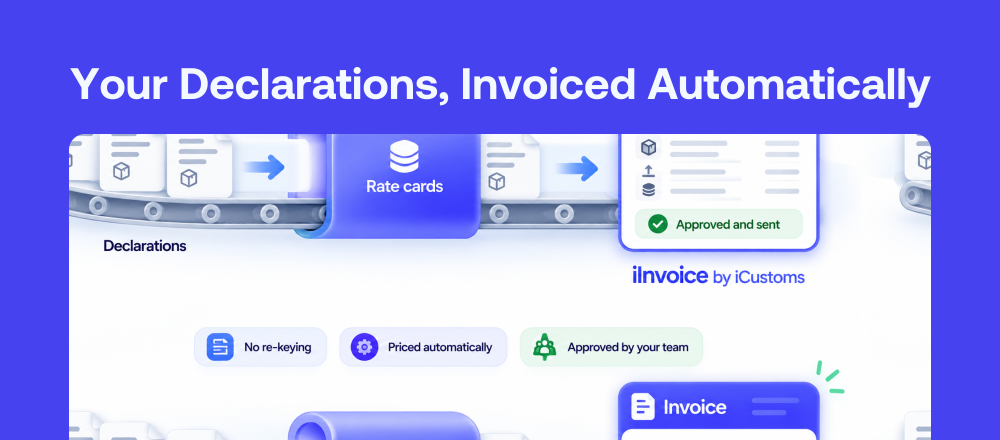
Checking is easier when the software is designed to be checked. iInvoice prices the declarations you file in iCustoms, so billing starts from the declaration record instead of a spreadsheet.
- Billed from the source: usage from declarations filed in iCustoms is recorded against each client, so the billed-vs-filed gap closes by design
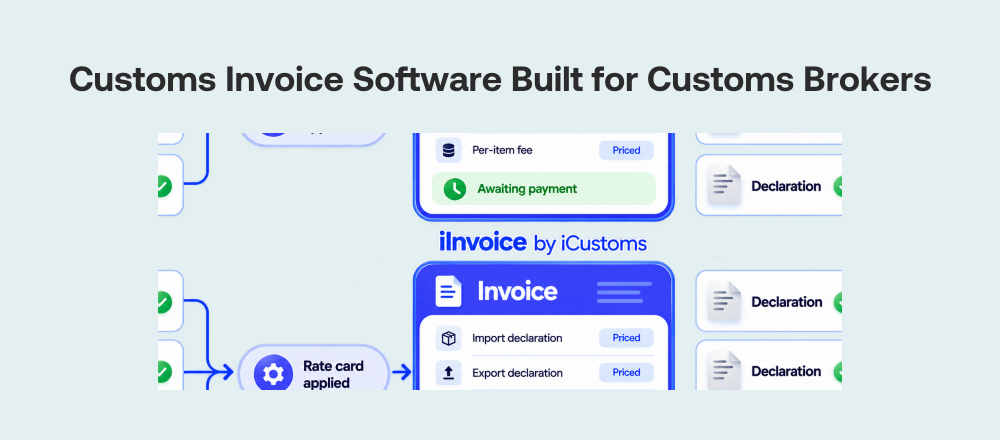
- Precise, dated pricing: rate cards for all clients, one client or a client group, with start and end dates and rules for fixed fees, item lines, tiers, bands and conditions
- Nothing priced by guesswork: usage with no matching rate card is flagged as unpriced, never left off or estimated
- Every amount explained: the Explain view breaks down each declaration and shows how every charge was reached, which makes sample audits fast
- Control before it is final: drafts, approval, then numbering and a lock once an invoice is approved
- Built on a trusted platform: iCustoms is ISO 27001:2022, ISO 9001:2015 and Cyber Essentials certified, and recognised by HMRC and Irish Revenue
New to iInvoice? Read our guides to customs invoice software, customs invoice automation and third-party customs billing.
Frequently Asked Questions
How do I check the accuracy of customs billing software?
Recalculate a sample of 10 to 50 recent declarations by hand against the agreed rate cards, reconcile the declarations billed against the declarations filed, test edge cases such as tier thresholds and conditional fees, and review every manual override.
How many invoices should I audit?
Start with 10 to 50 declarations, depending on volume, spread across your largest customers, different declaration types and any customer whose rates changed recently.
What is the most common cause of customs billing errors?
Pricing data rather than arithmetic: missing rates, out-of-date agreements and manual edits. Software that flags unpriced work and records which rate card priced each charge makes these easy to find.
Should billing software calculate duty and VAT?
Duty and import VAT are calculated on the declaration, not by billing software. Check them against your customs records. Billing software should price your services accurately and show how each charge was reached.
How does iInvoice support accurate billing?
iInvoice prices usage from declarations filed in iCustoms with dated rate cards, flags anything it cannot price, shows a per-declaration breakdown of every amount, and locks invoices once approved.
You may also like:

Subscribe to our Newsletter
About iCustoms
iCustoms is an all-in-one solution helping businesses automate customs processes more efficiently. With AI-powered and machine-learning capabilities, iCustoms is designed to streamline your all customs procedures in a few minutes, cut additional costs and save time.