
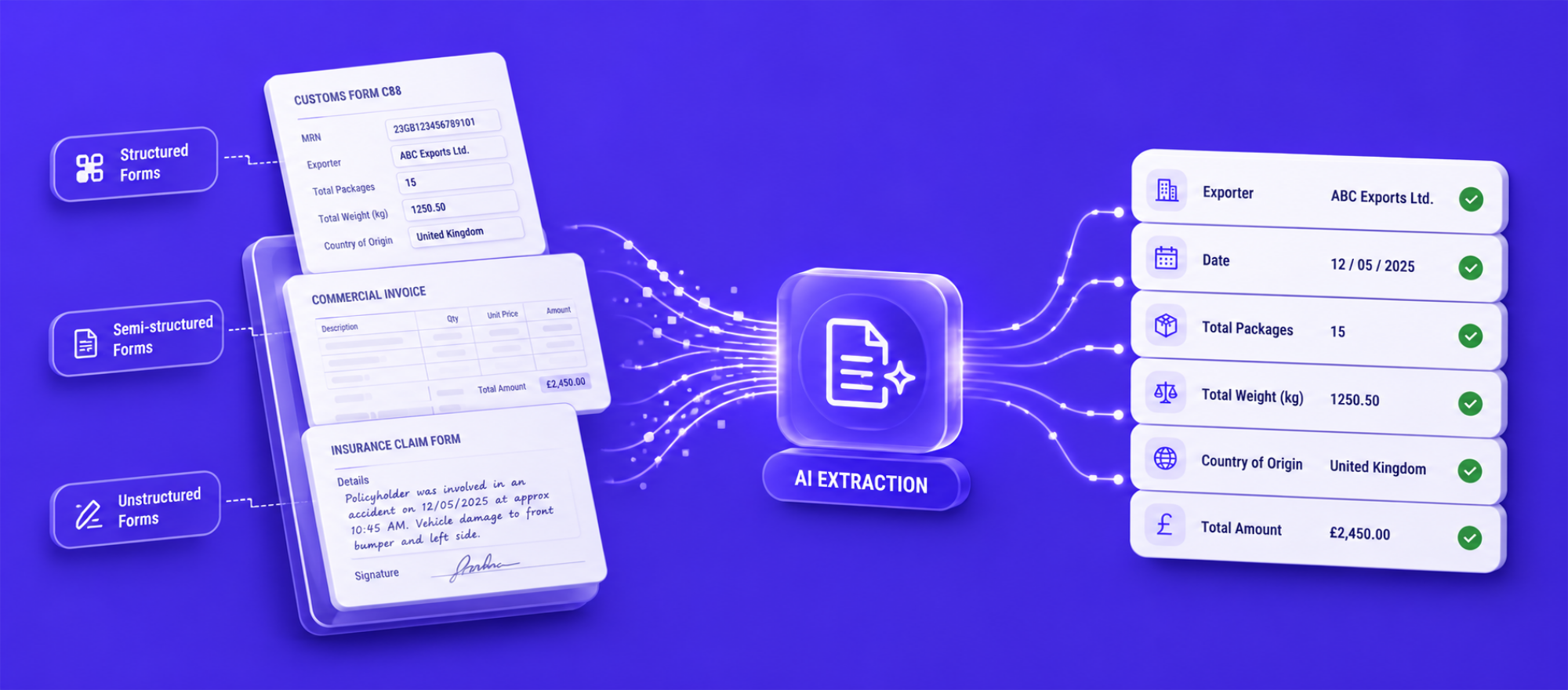
Packing List Automation: Extract, Validate and Route Data Without Manual Entry
- John Hall
- Customs Specialist at iCustoms.ai
Packing list automation software uses AI and OCR to extract, validate, and route the data on a packing list, so no one has to re-key it. It reads the document, pulls out every line item, checks the figures, and sends clean data into your customs declaration or systems. This guide explains what a packing list is, why manual processing slows teams down, and how packing list automation removes the errors and effort that come with typing line items by hand.
For freight forwarders, import specialists, and operations teams, the packing list is one of the most re-keyed documents in trade. It often carries dozens of line items, and every quantity, weight, and description has to be right for customs. Automating that work protects both speed and accuracy.
What Is a Packing List?
A packing list is the shipping document that itemises exactly what is in a consignment. It lists each product, how many there are, and how the goods are packed, so carriers, warehouses, and customs can check the shipment against it. A typical packing list includes:
- Product description and SKU number for each line.
- Item quantity and package count.
- Gross weight, net weight, and dimensions.
- Shipping marks, and often the HS code and country of origin.
Packing list vs commercial invoice
The two travel together but do different jobs. The commercial invoice states the value of the goods for duty; the packing list states the physical contents and packing detail. Customs uses both, and they must agree. This is a common point of confusion, so a packing list vs commercial invoice check is one of the first things automated validation performs.
Because it feeds the customs declaration, the packing list matters well beyond the warehouse. Missing or wrong line-item data here causes problems at the border later.
The Challenges of Manual Packing List Processing
Processing packing lists by hand is slow and easy to get wrong, for reasons every operations team will recognise:
- Line-by-line entry into spreadsheets or systems eats hours, especially on long lists.
- Formats vary by supplier, so staff hunt for the same fields in different layouts.
- Manual typing introduces errors in quantities, weights, and descriptions.
- Missing information is spotted late, often at customs, causing delays.
- Scanned or emailed lists have to be retyped from an image.
These are exactly the problems packing list data extraction is built to solve.
Re-keying packing list line items into your system every day?
Watch a demo and see AI extract and validate a full packing list in seconds.
How AI-Powered Packing List Automation Works
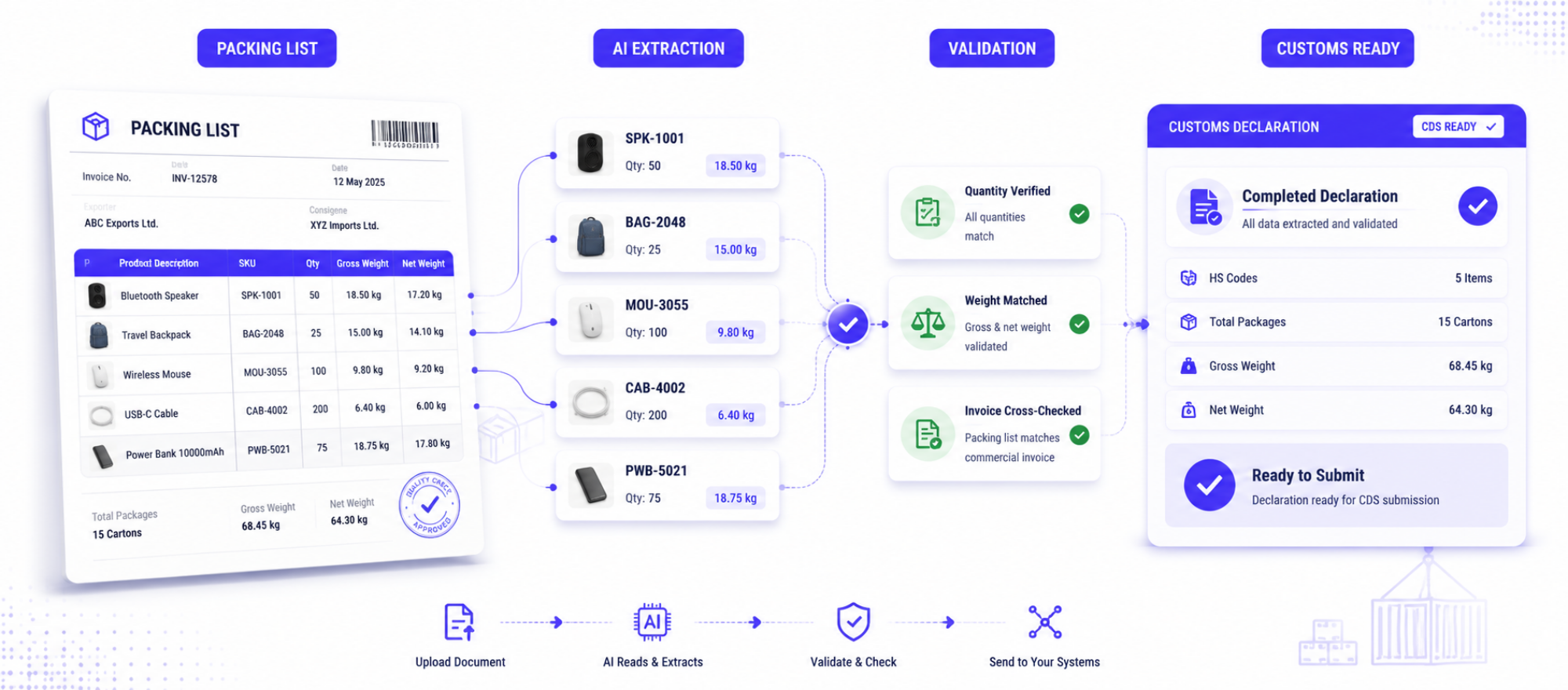
Packing list automation is built on intelligent document processing. Instead of reading and typing, your team lets the software do the extraction and validation.
- Capture the document. Upload or forward the packing list in any format. Packing list OCR converts scans and images into machine-readable text.
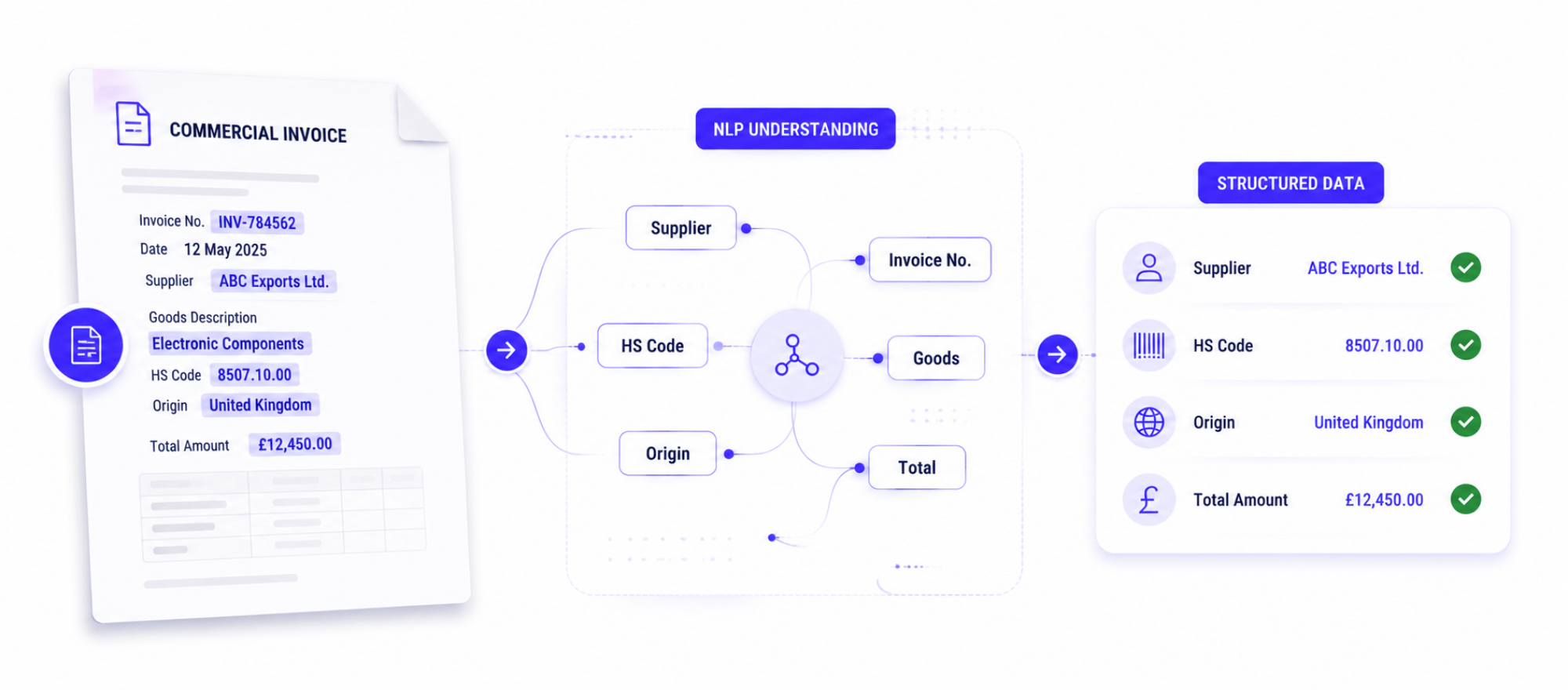
- Recognise the fields. AI field recognition identifies the header details and the line-item table, whatever the layout.
- Extract line items. Line item extraction pulls each product, SKU, quantity, weight, and dimension into structured data.
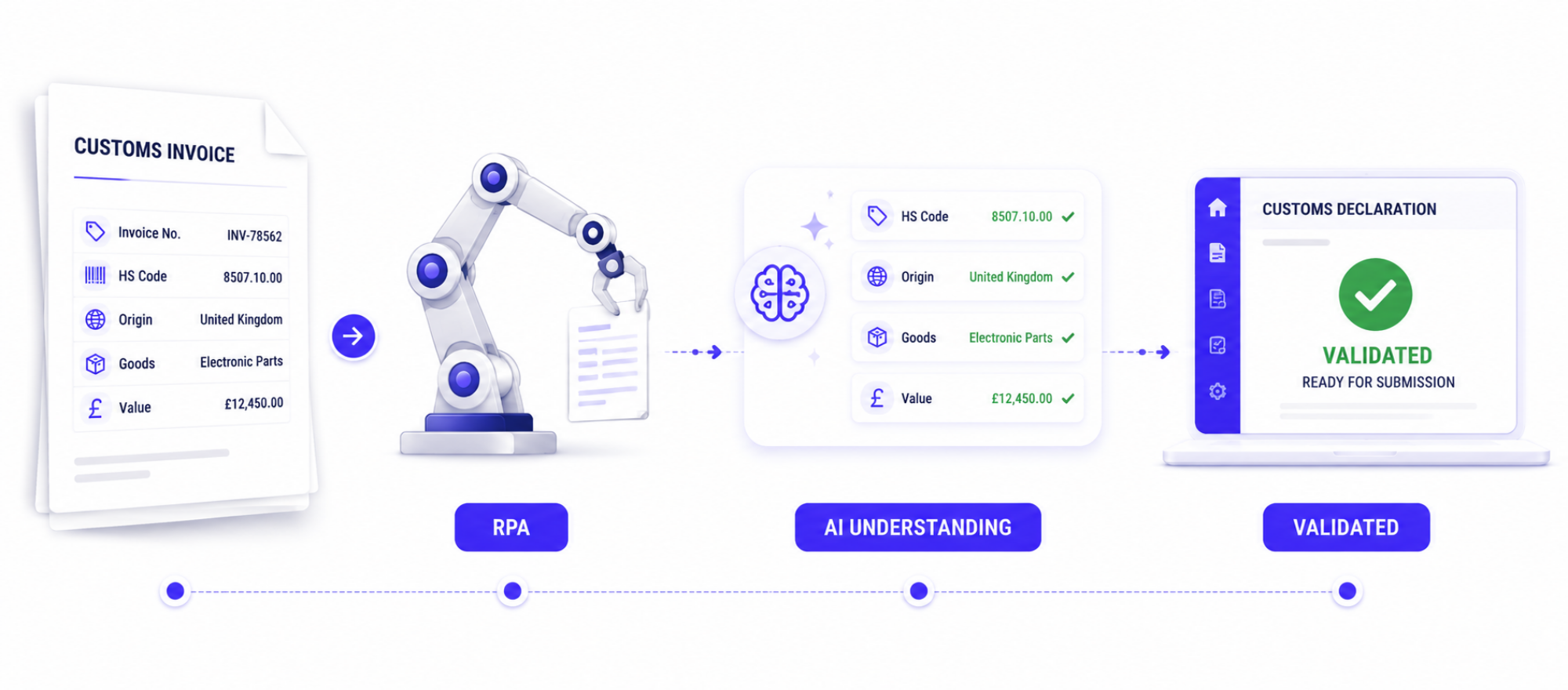
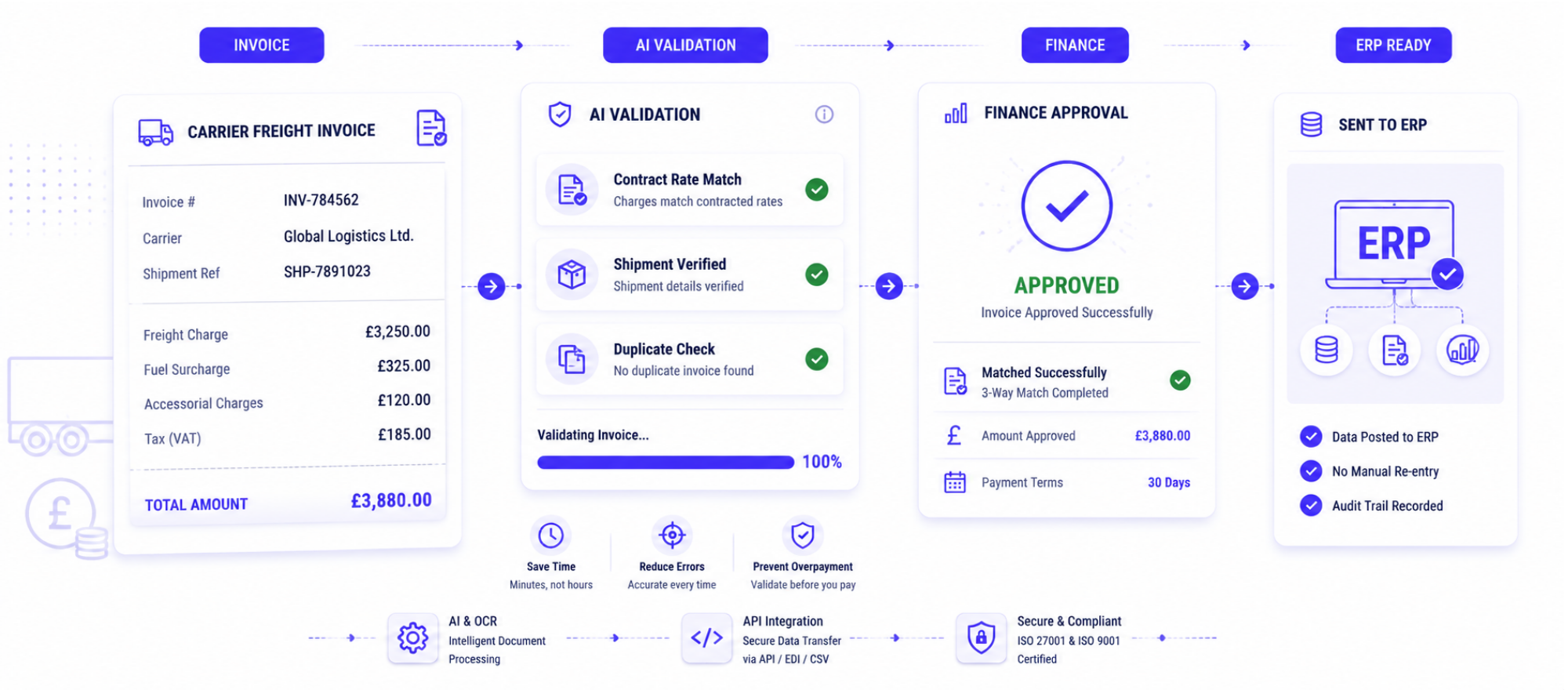
- Validate. Validation rules check totals, cross-check the packing list against the commercial invoice, and flag anything uncertain for review.
- Route the data. Clean data flows into your customs declaration, ERP, or warehouse system through an API.
What AI can extract from a packing list
Good packing list processing software captures the full document, not just the header. That includes product description, SKU number, item quantity, gross and net weight, dimensions, package count, shipping marks, and, where present, the HS code and country of origin. Capturing the line-item table accurately is the hard part, and it is where AI packing list extraction earns its place over basic OCR.
Two Kinds of Packing List Automation: Warehouse vs Customs
It helps to know which problem you are solving. Some tools focus on warehouse fulfilment, matching packing lists to orders for picking and dispatch. Others focus on trade and customs, turning the packing list into declaration-ready data. iCustoms sits firmly in the second group: its automation exists to feed accurate line-item data into customs declarations and keep shipments compliant. If your goal is customs clearance rather than warehouse picking, that distinction matters when you compare options.
Integrating Packing List Data Into Customs Workflows
The real value appears when the extracted data flows straight into the customs process. Once the line items are clean, they support HS classification, duty calculation, and the declaration itself. For UK and EU trade, that means the packing list feeds directly into CDS and ICS2 workflows without re-entry. Reliable customs document automation here removes the manual bridge between the warehouse document and the border filing.
Because packing lists rarely arrive alone, the strongest setups process them together with the commercial invoice and transport documents, reconciling all three into one clean record.
The Business Benefits
- Faster processing, because long line-item lists are read in seconds.
- Less manual workload, freeing staff from spreadsheet entry.
- Better data accuracy, with validation catching errors before customs does.
- Greater visibility, with every shipment’s contents captured as data.
- Scalable operations, handling rising volumes without extra headcount.
How iCustoms Automates Packing List Processing
iCustoms uses its intelligent document processing to capture packing lists as part of the trade-document workflow. Its iCheck feature classifies the document, and iCombine merges the line items with the invoice and other documents into a single clean record.
- Classification and line-item extraction: iCheck recognises packing lists and captures the full line-item table, even from mixed document sets.
- Accuracy and validation: up to 99% accuracy, with a validation engine that flags any field under full confidence for review.
- Speed and savings: around 50% less time and cost, with data reused across repeat shipments.
- Integration and security: connects through API, EDI, or CSV, and holds ISO 27001 and ISO 9001 certification.
Since the packing list travels with other paperwork, it processes the invoices, waybills, and packing lists in a shipment together, alongside waybill processing.
Frequently Asked Questions
What is packing list automation?
Packing list automation is the use of AI and OCR to extract, validate, and route the data on a packing list automatically, removing manual line-by-line entry and feeding clean data into customs and business systems.
How does AI extract data from packing lists?
The software captures the document with OCR, recognises the header and line-item table with AI, and extracts each product, SKU, quantity, weight, and dimension into structured data, then validates it.
What information can AI extract from a packing list?
Product description, SKU number, item quantity, gross and net weight, dimensions, package count, shipping marks, and often the HS code and country of origin.
Can packing list data be validated automatically?
Yes. Validation rules check totals, cross-check the packing list against the commercial invoice, and flag any uncertain field for a quick human review before the data is used.
How does packing list automation help customs declarations?
It turns the packing list into declaration-ready data, so line items feed straight into HS classification, duty calculation, and CDS or ICS2 filings without re-entry.
What is the difference between OCR and Intelligent Document Processing?
OCR only converts an image into text. Intelligent document processing goes further, understanding the document, extracting specific fields, validating them, and routing the data.
You may also like:
Struggling to Extract, Catagorise & Validate Your Documents?

Capture & Upload Data in Seconds with AI & Machine Learning
Subscribe to our Newsletter
About iCustoms
iCustoms is an all-in-one solution helping businesses automate customs processes more efficiently. With AI-powered and machine-learning capabilities, iCustoms is designed to streamline your all customs procedures in a few minutes, cut additional costs and save time.
Struggling to Extract, Catagorise & Validate Your Documents?
Capture & Upload Data in Seconds with AI & Machine Learning