
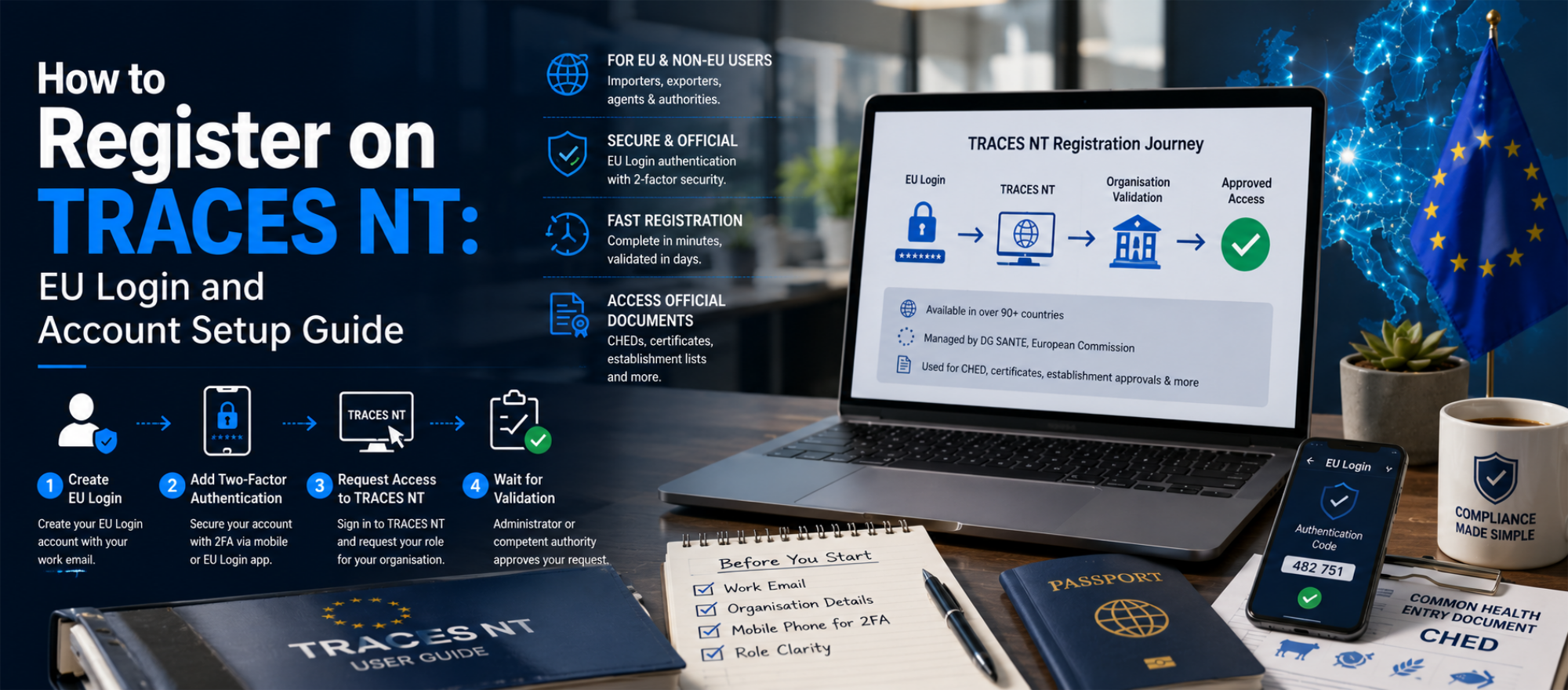
How to Register on TRACES NT: EU Login and Account Setup Guide
- John Hall
- Customs Specialist at iCustoms.ai
EU TRACES registration takes three stages: create an EU Login account, request a role on the TRACES NT platform, and wait for your organisation to be validated. The process is free, works for EU and non-EU businesses alike, and usually completes within a few working days once the right approver sees your request.
This guide walks through TRACES account creation step by step, covers the EU Login setup that trips up most first-time users, and explains what you can actually do once your TRACES NT account is active. We finish with the most common registration problems and how to resolve them.
What is TRACES NT, and who must register?
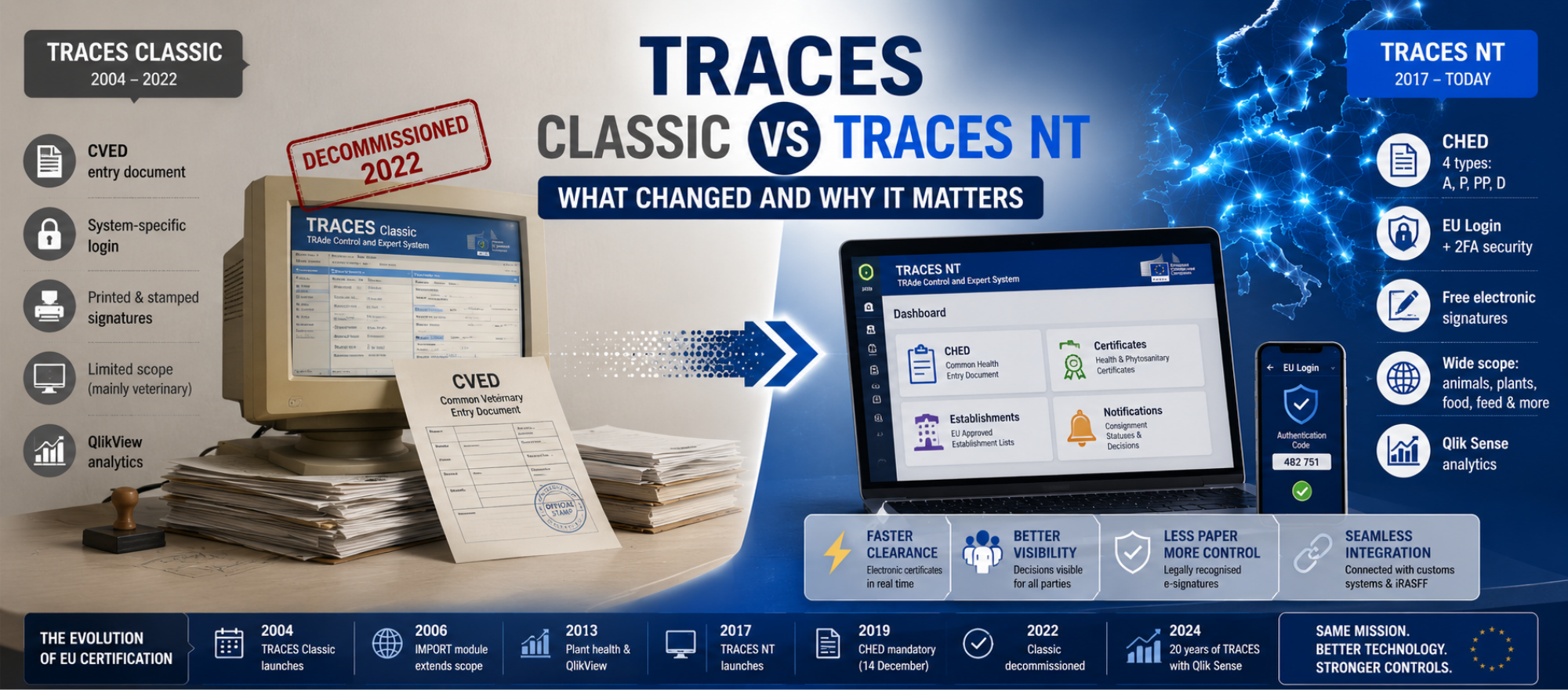
TRACES NT is the European Commission’s online platform for certifying movements of animals, plants, food and feed, managed by DG SANTE under the Official Controls Regulation (EU) 2017/625. Anyone submitting or receiving official documents, above all the Common Health Entry Document (CHED), needs a TRACES user account to do it.
Who needs a TRACES NT account?
- Importers and food business operators: to create and submit CHEDs for consignments arriving at a border control post
- Customs brokers and freight forwarders: to submit import notifications on behalf of clients
- Non-EU exporters and establishments: to work with certificates issued for the EU market; UK businesses register in exactly the same way
- Competent authorities and official veterinarians: to validate certificates and record decisions
If your goods are products of animal origin, plants or regulated food and feed, someone in your chain must hold an account. The only question is whether it is you or an agent acting for you.
Before you start: what you need
- A work email address: this becomes your EU Login identity, so avoid personal inboxes that leave with staff
- Your organisation details: legal name, address and activity type exactly as registered, because approvers match these against official records
- A mobile phone: EU Login two-factor authentication needs it
- Clarity on your role: operator, authority or private user; operators cover importers, forwarders and establishments
How to complete your EU TRACES registration
Step 1: Create your EU Login account
EU Login is the European Commission’s single authentication service, and every TRACES NT account sits on top of one. Go to the EU Login portal, choose Create an account, and enter your name and work email. Then follow the verification link the system sends you and set a password. No fee applies at any stage.
Step 2: Add two-factor authentication
TRACES NT requires stronger verification than a password alone. In your EU Login account settings, add a mobile number or install the EU Login Mobile app, then confirm the code it sends. Do this immediately; most first-login failures trace back to skipped two-factor setup.
Step 3: Request access to TRACES NT
Now sign in to the TRACES NT portal with your EU Login. On first entry, the system asks which role you are requesting. Select operator if you are an importer, forwarder, broker or establishment, then search for your organisation. If it already exists, request to join it; if not, create it with the exact legal details you prepared.
Step 4: Wait for validation
Your request now sits in pending status until someone approves it. For an existing organisation, an administrator within that organisation approves you. For a new organisation, the competent authority linked to your country or your border control post does. Consequently, a stalled registration usually means the right approver has not seen the request, not that anything is wrong.
Step 5: Check your first login
Once approved, log in and confirm your dashboard shows the correct organisation and role. In addition, agree internally who becomes your administrator, because that person approves future colleagues and manages user permissions.
After registration: what you can do in TRACES NT
An active TRACES NT account opens the platform’s core workflows. For most iCustoms readers, the CHED is the document that matters, and it comes in four types.
| CHED Type | Covers | Typical User |
|---|---|---|
| CHED-A | Live animals. | Livestock importers, transporters, and operators moving live animals. |
| CHED-P | Products of animal origin. | Food importers, meat processors, dairy traders, and seafood importers. |
| CHED-PP | Plants, plant products, and certain wood products subject to phytosanitary controls. | Plant importers, timber traders, nurseries, and horticultural businesses. |
| CHED-D | Food and feed of non-animal origin subject to official controls. | Food importers handling products under increased EU import controls. |
You submit the CHED before the consignment arrives, the border control post performs its documentary, identity and physical checks, and the decision lands back in TRACES for every party to see. Beyond CHEDs, the platform handles health certificates, phytosanitary certificates and the establishment lists that approvals depend on.
Common TRACES registration problems, solved
Why is my TRACES registration pending?
Because no one has approved it yet. Join requests go to your organisation’s administrator; new organisations go to the competent authority. If nothing moves after a few working days, contact that approver directly rather than re-submitting, since duplicate requests slow things further.
I cannot log in to TRACES NT
Almost always an EU Login issue rather than a TRACES one. Reset your password through the EU Login portal, check the two-factor method still points at your current phone, and only then investigate the TRACES side.
My organisation appears twice, or with wrong details
Duplicate organisations happen when colleagues create new entries instead of joining existing ones. Ask the competent authority to merge or correct the record; meanwhile, register against the entry that matches your official details.
A colleague left and they were our only administrator
Request administrator rights through the competent authority. Then, as a habit, keep at least two administrators per organisation so one departure never locks the account.
Registered on TRACES, Still Working Manually?
TRACES gives you the portal; iCustoms automates the data around it, from documents to declarations.
TRACES NT is the start, not the workflow
Registration gets you a login; it does not fill in a single form. The data on every CHED, certificate and declaration still has to come from somewhere, and re-keying it between systems is where errors and hours disappear. That gap between the portal and your paperwork is exactly what iCustoms closes.
- Document data without re-keying: Intelligent Document Processing extracts and validates trade document data with 99% accuracy, so certificate details match declarations character for character
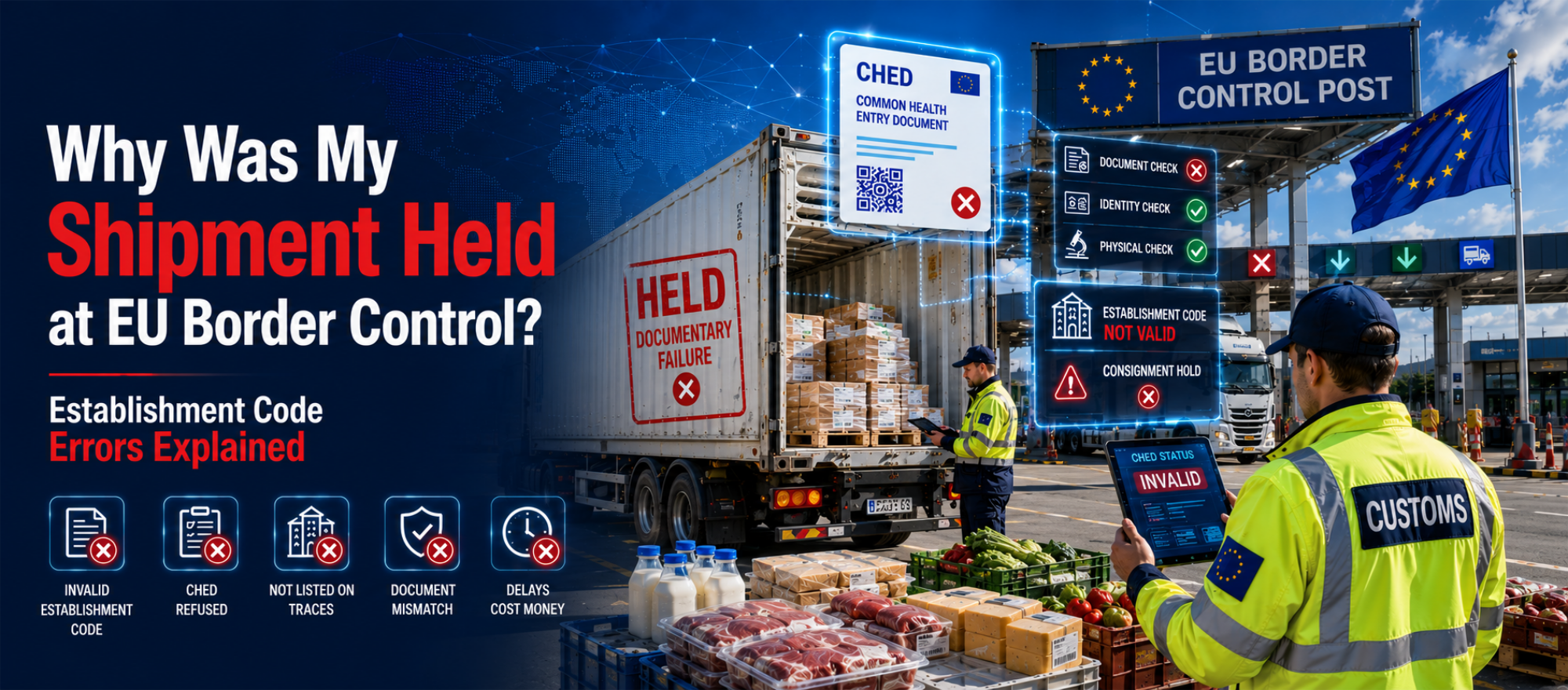
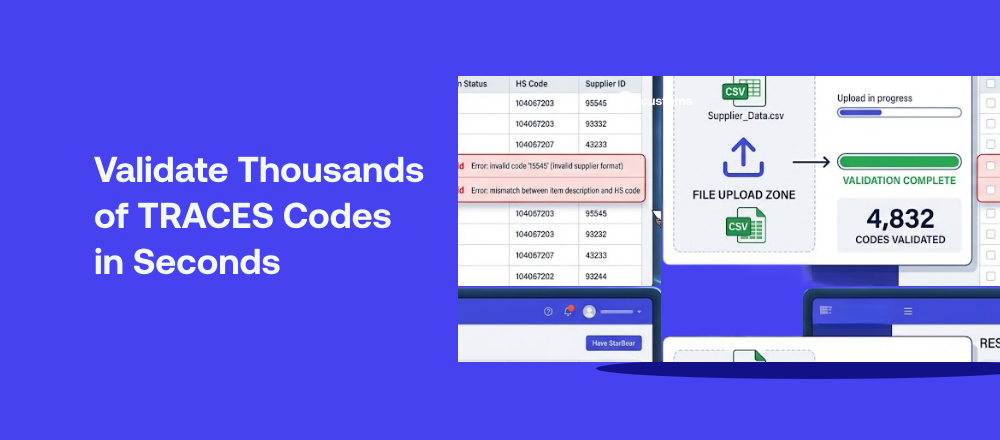
- Establishment codes checked in bulk: iTraces validates every code against the official TRACES EU database before booking, catching delistings the portal will not flag for you
- Declarations connected: iCustoms files customs declarations across the UK, Ireland and 22 EU nations, keeping TRACES references and customs data consistent
One AI platform around the EU systems
TRACES NT, customs systems and now the EUDR workflow each demand the same underlying discipline: accurate, consistent data. iCustoms AI provides it once, across Intelligent Document Processing, iTraces, iClassification and declaration EU customs filing. Logistics leaders such as Kerry Logistics, Ziegler and Woodside Logistics Group run their customs operations this way, and their teams spend their time trading rather than typing.
Ready to Automate What Comes After Registration?
Book a demo and see how iCustoms connects your documents, codes and declarations around TRACES NT.
Frequently Asked Questions
How do I register for TRACES NT?
Create an EU Login account with your work email, add two-factor authentication, then sign in to TRACES NT and request an operator role against your organisation. An administrator or the competent authority approves the request, and your account goes live.
Is TRACES registration free?
Yes. The European Commission provides both EU Login and TRACES NT free of charge; you only need an internet connection. The real cost sits in the staff time spent working the portal manually, which is where automation from iCustoms pays for itself.
How long does TRACES registration take?
The EU Login stage takes minutes. Organisation validation typically takes one to a few working days, depending on how quickly your administrator or competent authority acts on the request.
Do I need EU Login for TRACES?
Yes. EU Login is the Commission's single authentication service, and TRACES NT accepts no other sign-in. Set up two-factor authentication straight away, because the platform requires it.
Can UK and other non-EU businesses register for TRACES?
Yes. Non-EU operators, including UK exporters and establishments, register through the same EU Login and role-request process. TRACES supports users in over 90 countries.
Why is my TRACES registration still pending?
A pending status means the approver, either your organisation administrator or the competent authority, has not yet actioned the request. Contact them directly instead of re-submitting, as duplicates create confusion and further delay.
You may also like:
Struggling to Extract, Catagorise & Validate Your Documents?

Capture & Upload Data in Seconds with AI & Machine Learning
Subscribe to our Newsletter
About iCustoms
iCustoms is an all-in-one solution helping businesses automate customs processes more efficiently. With AI-powered and machine-learning capabilities, iCustoms is designed to streamline your all customs procedures in a few minutes, cut additional costs and save time.
Struggling to Extract, Catagorise & Validate Your Documents?
Capture & Upload Data in Seconds with AI & Machine Learning