
How Often Do TRACES Establishment Lists Change (and How to Stay Ahead)
- John Hall
- Customs Specialist at iCustoms.ai
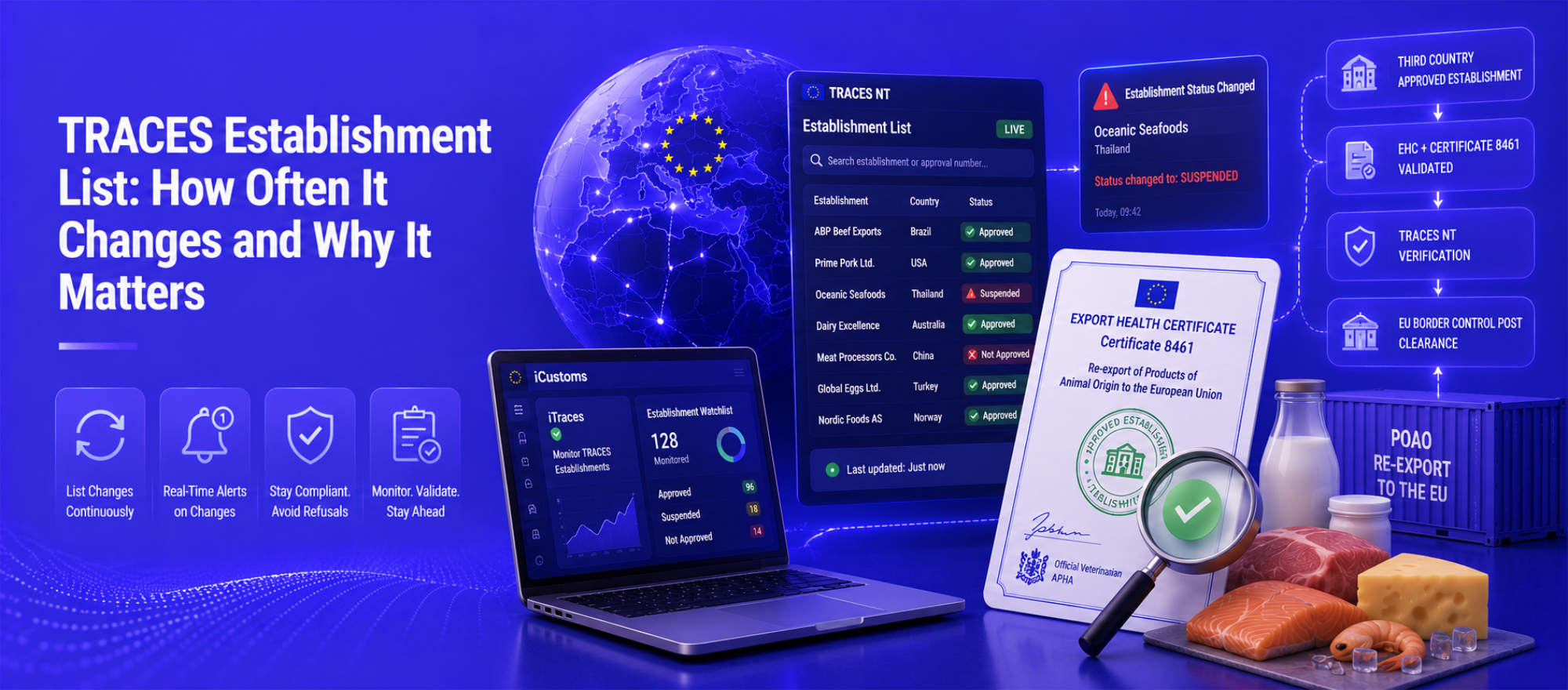
The TRACES establishment list is one of the most dynamic elements in EU food trade compliance. Unlike static regulatory documents, it changes continuously establishments gain approval, lose it, or face temporary suspension without any fixed timetable or advance warning. Consequently, importers, customs brokers, and food traders sourcing products of animal origin (POAO) from third countries face a real and recurring risk: an outdated establishment check can translate directly into a consignment refused at a European Border Control Post (BCP). This guide therefore explains how often the TRACES establishment list changes, why establishments are delisted, and how to stay consistently ahead of the updates.
What Is the TRACES Establishment List?
Specifically, TRACES NT the European Commission’s Trade Control and Expert System New Technology is the digital platform for managing the movement of animals, animal products, and certain goods into and within the EU. Within TRACES NT, the European Commission maintains the approved establishment list: a live database of food businesses, slaughterhouses, cold stores, processing facilities, and other premises in third countries that currently hold authorisation to export POAO to the EU.
Specifically, each approved establishment carries a unique establishment approval number, which must appear on the Export Health Certificate (EHC) accompanying any POAO consignment. When an EU Border Control Post processes a CHED-P pre-notification, officials verify that number against the live TRACES establishment list. If the establishment no longer appears as approved, the BCP must consequently refuse the consignment regardless of how recently the supplier was last verified. The legal basis for establishment listing is Regulation (EU) 2017/625 (the Official Controls Regulation), further specified in Commission Implementing Regulation (EU) 2021/405 and related acts.
How Often Does the TRACES Establishment List Change?
The short answer is: continuously, and without a fixed schedule. The TRACES establishment list updates in near real-time as third-country competent authorities notify the European Commission of approvals, suspensions, revocations, and reinstatements. There is no monthly or quarterly update cycle changes happen as they occur, and importers who verified a supplier’s status last week cannot therefore assume that status still holds today.
In practice, however, the pace of change depends on several factors. For high-volume exporting countries the United States, Brazil, China, and Australia, for example the approved establishment registers are large and update frequently because those countries process many approvals and reviews. Disease events additionally accelerate the pace dramatically: an outbreak of African Swine Fever (ASF), avian influenza (H5N1), or foot-and-mouth disease (FMD) can trigger mass suspensions of an entire country’s or region’s approved meat or poultry establishments within hours of an official notification to the Commission. Non-compliance findings residue test failures, microbiological non-conformances, or hygiene deficiencies identified during EU audit missions can similarly result in individual establishment suspensions at any point during the year. Trade policy changes, moreover, can add or remove hundreds of establishments simultaneously when a new agreement comes into force or when political circumstances shift.
Why Are Establishments Removed from the TRACES Approved List?
Understanding the reasons for delisting helps importers assess risk and prioritise monitoring. The table below therefore summarises the main grounds for removal and the typical speed at which changes take effect.
| Reason for Delisting | Typical Speed of Change |
|---|---|
| Non-compliance with EU food safety or hygiene standards | Within days of the European Commission notification |
| Disease outbreak in the region (ASF, avian influenza, FMD) | Within hours to 48 hours of the official notification |
| Loss of national approval from the competent authority | Within days of the competent authority notification |
| Country-level EU import suspension for a product category | Immediately upon the European Commission decision |
| Establishment closure, merger or relocation | Upon notification from the competent authority |
| EU audit mission finding systemic non-compliance | Within weeks of the audit mission report |
Notably, disease-related suspensions are the fastest-moving category. When a country or zone loses disease-free status for a regulated disease, the Commission can suspend all associated establishment approvals within a single working day. Consequently, a supplier that was fully compliant at the start of a shipment’s sea transit may no longer appear on the approved list by the time the container arrives at Rotterdam or Hamburg.
What Happens If an Establishment Is Delisted?
When an establishment loses its approved status, the consequences flow quickly down the supply chain. At the EU BCP, specifically, officials conducting documentary checks on the CHED-P will find that the establishment code on the EHC no longer matches any active entry in the TRACES establishment list. The BCP must therefore refuse the consignment and record the decision in TRACES NT.
For goods already in transit when delisting occurs, BCP authorities may exercise discretion however, in the case of food safety or disease-related suspensions, they typically refuse even in-transit consignments. The EU importer then faces the cost of returning the goods to GB, redirecting them to a non-EU country, or having them destroyed, none of which are cheap options. Furthermore, a pattern of BCP refusals can trigger enhanced scrutiny of that importer’s future consignments, as TRACES NT records all documentary check outcomes and makes them visible to border authorities across the EU.
For exporters and customs brokers on the GB side, moreover, the immediate practical consequence is that the signed EHC becomes invalid the moment the establishment loses its listing. Issuing a new certificate is not possible against a delisted establishment, so the consignment has no compliant documentation pathway until the establishment regains approved status.
Is Your Supplier Still on the TRACES Approved List?
iCustoms’ iTraces module monitors TRACES establishment status in real time and alerts your team the moment a relevant establishment changes — before you prepare the next shipment.
How to Check the TRACES Establishment List
The European Commission publishes TRACES establishment data through the DG SANTE food safety portal at food.ec.europa.eu. Users can search by third country, commodity category (meat, dairy, fishery products, eggs, honey, etc.), and establishment name or approval number. The search interface therefore returns current status, approval number, and the specific EU product categories the establishment holds authorisation for.
However, manual checking presents significant limitations. A single large importer may source from dozens of suppliers across multiple product categories and countries checking each establishment code individually before every shipment is time-consuming and prone to human error. Additionally, manual checks are point-in-time only: a search today tells you nothing about what the list looked like yesterday or what it will show tomorrow. Given that high-risk events such as disease outbreaks can change establishment status overnight, relying solely on manual verification is therefore a meaningful compliance gap.
How to Monitor TRACES Establishment Changes Automatically
Automated monitoring is the only reliable way to keep pace with the continuous churn of the TRACES establishment list. Instead of checking supplier status reactively after preparing a shipment or printing a certificate automated systems watch the list proactively and push alerts when something changes.
Specifically, effective TRACES establishment monitoring typically involves three components. First, a watchlist of establishment approval numbers relevant to the importer’s supplier base. Second, a connection to the live TRACES establishment data that refreshes frequently, ideally in near real-time. Third, an alerting mechanism that notifies the relevant team member compliance officer, customs broker, or procurement team when a watched establishment changes status. Furthermore, the best systems link establishment status directly to the customs declaration workflow, so that a delisting automatically flags any pending consignments from that supplier before they depart.
How iCustoms Supports TRACES Establishment List Compliance
iCustoms’ iTraces module specifically addresses the TRACES establishment monitoring challenge. Rather than expecting compliance teams to manually check the European Commission’s database before each shipment, iTraces maintains a watchlist of supplier establishment codes and monitors the TRACES establishment list for changes. When the list updates whether due to a suspension, reinstatement, or new approval iTraces delivers an alert so that traders know about relevant status changes before they prepare the next consignment, not after the BCP raises a rejection.
Monitor TRACES Establishment Lists Automatically with iCustoms
Stop checking manually. iCustoms alerts you the moment a supplier’s establishment status changes so your shipments always depart with compliant documentation.
Frequently Asked Questions
How often are TRACES establishment lists updated?
The TRACES establishment list updates continuously and without a fixed schedule. The European Commission applies changes in near real-time as third-country competent authorities submit notifications of approvals, suspensions, and revocations. Consequently, establishment status can change on any working day throughout the year.
Who updates the TRACES establishment list?
The European Commission (specifically DG SANTE) maintains and publishes the approved establishment lists. However, the competent authorities in each third country — such as the USDA's FSIS for the USA, MAPA for Brazil, or DAFF for Australia — are responsible for notifying the Commission of any changes to their registered establishments. The Commission then applies those changes to the TRACES NT database.
Why are establishments removed from the TRACES approved list?
Establishments are removed for several reasons: non-compliance with EU food safety or hygiene standards; disease outbreaks (ASF, avian influenza, FMD) that affect the region; loss of national approval from the competent authority; country-level EU import suspensions; establishment closure or relocation; or findings from EU audit missions. Disease-related suspensions are typically the fastest-moving, sometimes taking effect within hours.
How do I verify an approved establishment?
The European Commission publishes TRACES establishment data on the DG SANTE food safety portal (food.ec.europa.eu). Specifically, users can search by country, commodity type, and establishment approval number. However, manual verification is a point-in-time check — automated monitoring via iCustoms' iTraces module provides continuous, real-time status tracking across a supplier watchlist.
How do I check if an establishment is still approved?
Specifically, search the establishment's approval number on the DG SANTE portal or within TRACES NT. Additionally, check for any recent Commission decisions or safeguard measures that may apply to the originating country or commodity. For regular importers, however, automated monitoring removes the need for ad hoc manual checks.
What happens if an establishment is delisted?
Consequently, the EU Border Control Post will refuse any consignment whose EHC references a delisted establishment number. Furthermore, the CHED-P will be flagged in TRACES NT, and the importer faces the cost of returning, redirecting, or destroying the goods. For goods already in transit, BCP authorities may exercise some discretion — however, for safety-related or disease-related suspensions, they typically refuse even in-transit consignments.
Can TRACES establishment checks be automated?
Yes. Automated monitoring tools — such as iCustoms' iTraces module — maintain a watchlist of supplier establishment codes and monitor the TRACES establishment list for changes. When a watched establishment changes status, the system delivers an alert to the compliance team. This removes the reliance on manual, point-in-time checks and consequently eliminates a significant compliance gap.
How can importers monitor establishment list changes?
Overall, the most effective approach is a dedicated monitoring tool that connects to TRACES establishment data and maintains a supplier watchlist. iCustoms' iTraces integrates establishment status monitoring directly into the customs workflow, alerting teams before a problematic consignment is prepared rather than after it is refused at the BCP.
You may also like:


Struggling to Extract, Catagorise & Validate Your Documents?

Capture & Upload Data in Seconds with AI & Machine Learning
Subscribe to our Newsletter
About iCustoms
iCustoms is an all-in-one solution helping businesses automate customs processes more efficiently. With AI-powered and machine-learning capabilities, iCustoms is designed to streamline your all customs procedures in a few minutes, cut additional costs and save time.
Struggling to Extract, Catagorise & Validate Your Documents?
Capture & Upload Data in Seconds with AI & Machine Learning