
Manual TRACES Lookup vs Automated Validation: Time and Cost Comparison
- John Hall
- Customs Specialist at iCustoms.ai
A manual TRACES lookup takes several minutes per establishment code; automated validation checks thousands in seconds. That single sentence contains the whole business case, but the details decide whether it applies to you. How many codes do you check, how often do the lists change, and what does one missed delisting cost when a consignment stops at the border?
This comparison works through the numbers: what manual TRACES checks really cost, what automation changes, and the ROI maths that customs agents, importers and freight forwarders can run on their own volumes.
How a manual TRACES lookup works
The official route runs through the public TRACES NT establishment lists. You select the exporting country, open the correct activity section, search for the establishment approval number, and confirm the name and address match your supplier. Then you repeat the process for every establishment on every consignment, because approval is specific to both country and activity.
The portal does this job well for what it is: a free, single-lookup reference. However, it offers no bulk search, no change alerts and no record that you ever checked. Whatever evidence trail your compliance process needs, you build it yourself in spreadsheets.
How long does a manual TRACES lookup take?
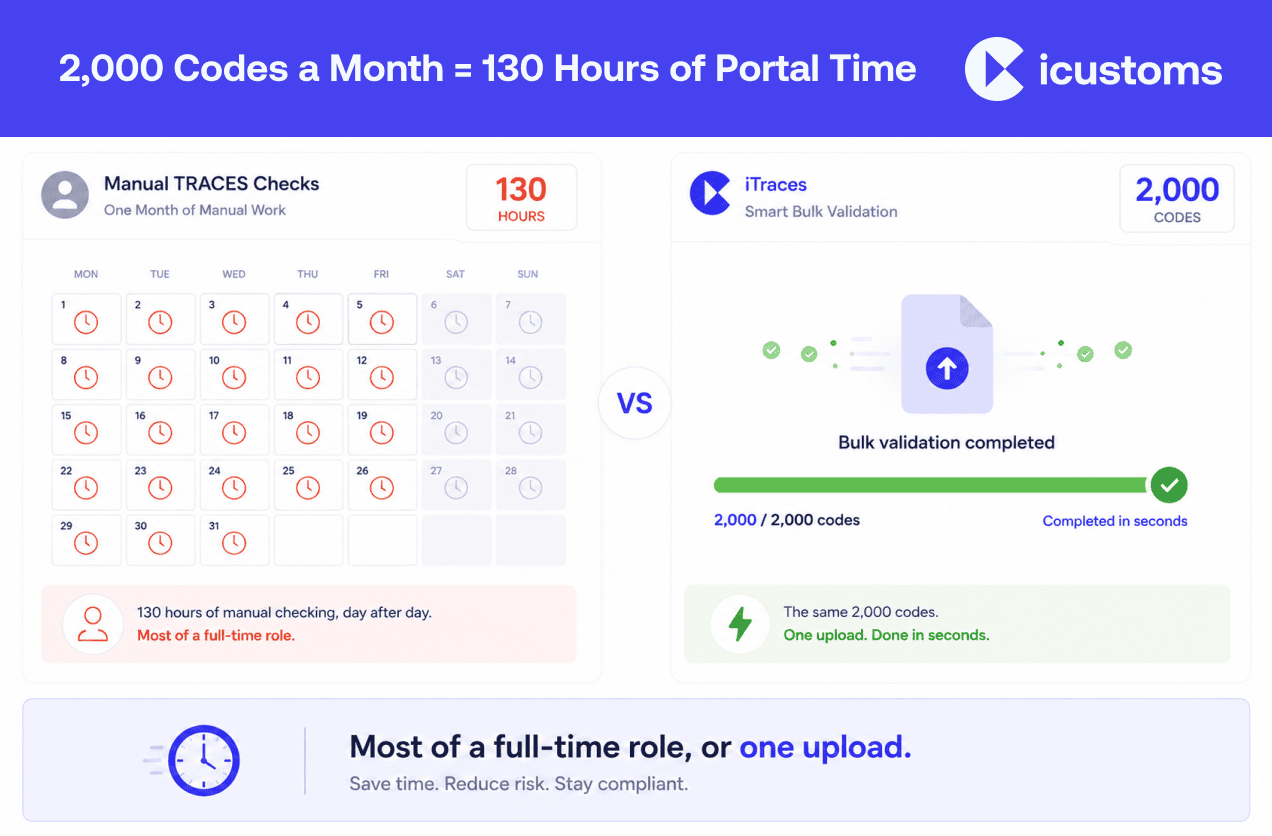
Allow three to five minutes per code once you include finding the right list, confirming the activity matches and recording the result. That sounds trivial for one code. Scale it, though: a catalogue of 2,000 establishment codes checked monthly costs roughly 130 staff hours at four minutes per code, which is most of a full-time role doing nothing but portal searches.
The true cost of manual TRACES checks
- Labour that scales with your catalogue: every new product line and supplier adds minutes, forever
- Human error under repetition: transposed digits and skipped rows are inevitable in hour three of portal searching
- Stale results: a monthly check cycle leaves weeks of exposure, and authorities delist establishments without notice
- No audit trail: when a customer or regulator asks for evidence, screenshots and spreadsheets are a weak answer
- The border hold multiplier: one missed delisting means demurrage, storage, possible re-export and a strained customer relationship, routinely costing more than a year of automation
In other words, the visible cost is staff time, but the expensive part hides in the misses.
Manual TRACES lookup vs automated validation: the numbers
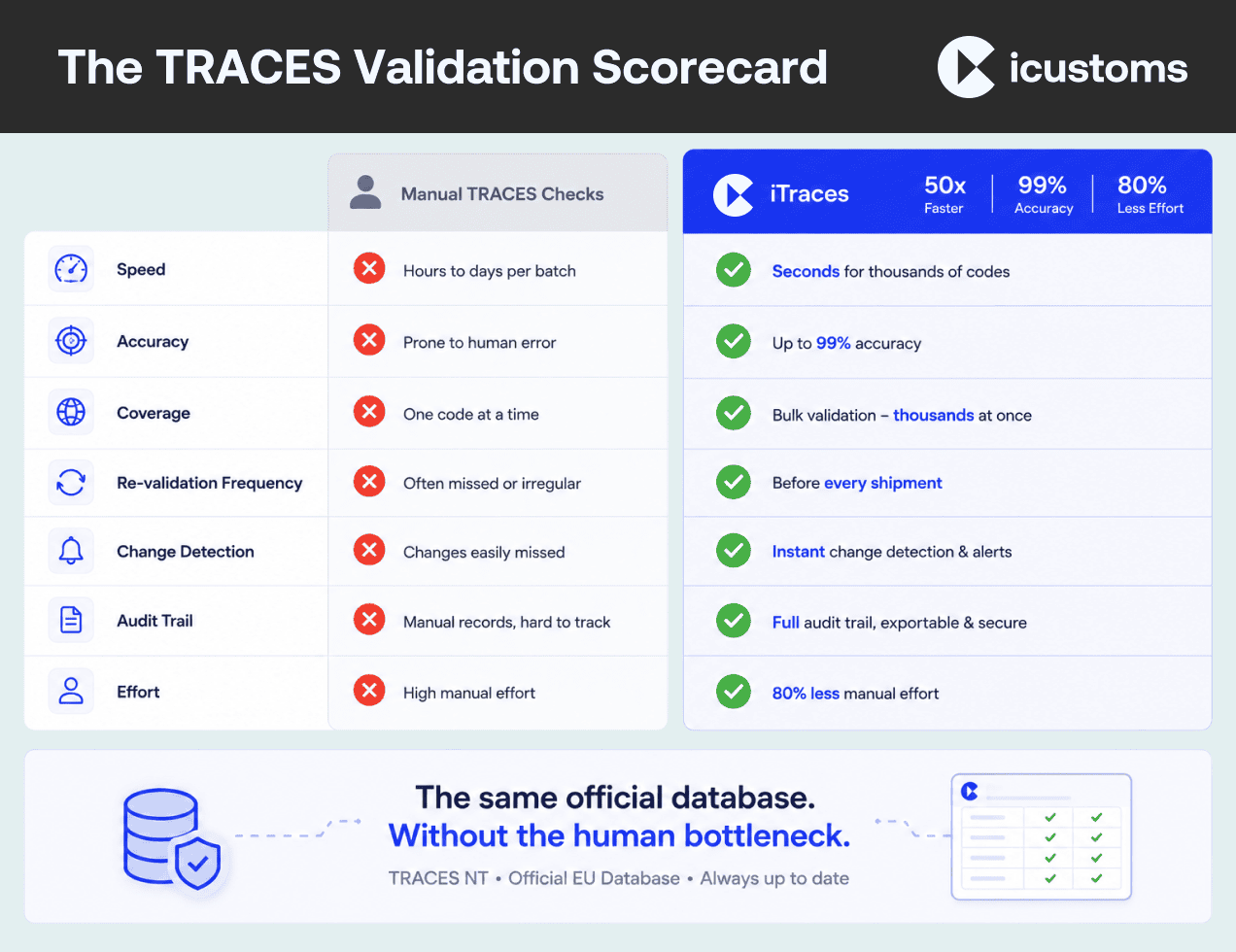
| Factor | Manual Portal Lookup | Automated Validation (iTraces) |
|---|---|---|
| Time for 2,000 Codes | Approximately 130 hours, assuming around 4 minutes per code. | Completed in seconds, delivering up to 50× faster end-to-end validation. |
| Accuracy | Prone to typing errors, skipped records, and inconsistent manual checks. | Up to 99% accuracy when validated against the official TRACES database. |
| Coverage | Limited to the establishment codes someone remembers to validate. | Validates every establishment code during every validation run. |
| Re-validation Frequency | Typically monthly or quarterly due to the manual workload. | Can run before every shipment or continuously through API integration. |
| Change Detection | No automatic monitoring; changes are often discovered only when a shipment reaches the border. | Automatically flags delisted, suspended, or changed establishment codes. |
| Audit Trail | Usually maintained through manual spreadsheets or internal records. | Provides a complete, timestamped audit history ready for compliance reviews. |
| Manual Effort | Increases in direct proportion to the size of the product catalogue. | Reduces manual effort by up to 80%, regardless of catalogue size. |
Still Doing TRACES Lookups by Hand? Bring your product file to a demo and watch iTraces validate your whole catalogue in seconds. |
What automated TRACES validation looks like
Automated establishment verification replaces the portal routine with a single workflow. You upload your product file, or connect via API, and iTraces checks every establishment code against the official TRACES EU database, matching number, country and activity. Valid codes turn green, problems get flagged instantly, and the compliance dashboard plus audit trail keep the evidence. Our step-by-step bulk validation guide walks through the full process.
Note what does not change: the source of truth. Automation queries the same official lists a manual TRACES lookup uses; it simply removes the human bottleneck between your catalogue and the data.
The ROI of automating TRACES validation
Run the maths on your own volumes and the pattern repeats across three layers.
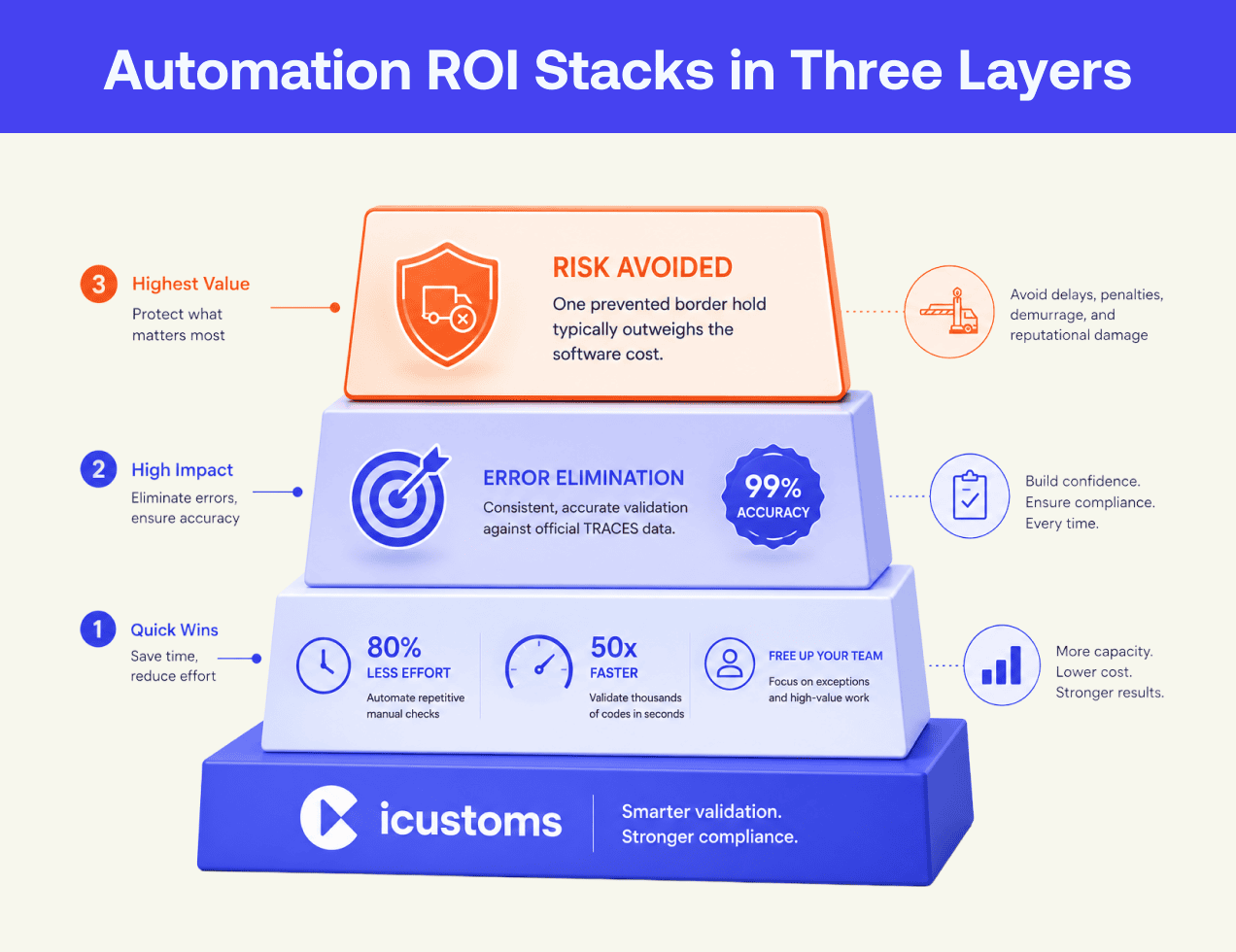
- Direct time savings: iCustoms customers validate up to 50 times faster and cut manual compliance effort by 80%, converting a recurring staffing cost into seconds of processing
- Error elimination: 99% accuracy removes the typo-and-tired-eyes failure mode entirely, and with it most documentary refusals
- Risk avoided: continuous validation closes the delisting exposure window from weeks to zero; preventing a single border hold typically outweighs the cost of the software
Because the labour saving alone usually covers the investment, the error and risk layers arrive as pure upside. That is why automation ROI in compliance rarely needs optimistic assumptions.
Why choose iCustoms for TRACES compliance software
Plenty of tools promise customs automation; iTraces is built specifically for the establishment-code problem. Bulk upload with ready-made templates, single code search for spot checks, API integration for continuous feeds, smart error flags, a compliance dashboard and a full audit trail, all validating against the official TRACES EU database.
And because establishment codes never travel alone, iTraces sits inside the wider iCustoms AI platform: Intelligent Document Processing validates the certificate and invoice data around your consignments, iClassification settles the HS codes, and iCustoms files declarations across the UK, Ireland and 22 EU nations. Logistics leaders such as Kerry Logistics, Ziegler and Woodside Logistics Group already run their compliance this way.
Run the Numbers on Your Own Catalogue
Book a demo, bring your volumes, and see the time and cost comparison with iCustoms in real figures.
Frequently Asked Questions
How do I validate an establishment in TRACES NT?
Manually, you search the public TRACES NT establishment lists by country and activity, then match the approval number, name and address to your supplier. Automated tools such as iTraces from iCustoms run the same check against the official database for thousands of codes at once.
How long does a manual TRACES lookup take?
Three to five minutes per code, including activity checks and record-keeping. Across a catalogue of 2,000 codes checked monthly, that is roughly 130 staff hours, which is why manual checking rarely survives business growth.
Can TRACES lookups be automated?
Yes. The establishment lists are official public data, and software such as iTraces validates codes against them in bulk, with API options for continuous checking directly from your ERP or TMS.
How much time does automated validation save?
iCustoms customers validate up to 50 times faster and cut manual compliance effort by 80%. A catalogue that consumed days of portal searching validates in seconds, before every shipment rather than once a month.
What are the risks of manual TRACES validation?
Typos under repetition, skipped rows, stale results between check cycles and no audit trail. The costly failure is the missed delisting, which surfaces as a held consignment at the border control post.
What is the best TRACES compliance software?
Look for validation against the official TRACES EU database, bulk and API options, automatic error flagging and an audit trail. iTraces from iCustoms was purpose-built to this checklist, with 99% accuracy and a compliance dashboard across products and suppliers.
You may also like:
Struggling to Extract, Catagorise & Validate Your Documents?

Capture & Upload Data in Seconds with AI & Machine Learning
Subscribe to our Newsletter
About iCustoms
iCustoms is an all-in-one solution helping businesses automate customs processes more efficiently. With AI-powered and machine-learning capabilities, iCustoms is designed to streamline your all customs procedures in a few minutes, cut additional costs and save time.
Struggling to Extract, Catagorise & Validate Your Documents?
Capture & Upload Data in Seconds with AI & Machine Learning