
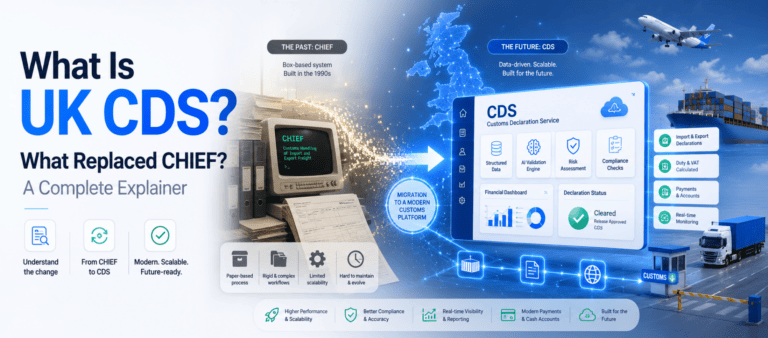
The Freight Forwarder's Guide to UK Customs Declaration Service (CDS)
- John Hall
- Customs Specialist at iCustoms.ai
The Customs Declaration Service (CDS) is the system every business filing UK import and export entries now uses, after it took over from CHIEF. For freight forwarders and clearing agents, CDS is where the daily work happens: classifying goods, entering procedure codes, and sending declarations to HMRC. This guide explains what the customs declaration service is, who has to use it, how to register for CDS, how a declaration is filed, and the mistakes that cost agents time and money. It is written for the people filing entries, not for a policy audience.
What the Customs Declaration Service is?
Customs Declaration Service is HMRC’s online platform for handling import and export declarations. It has fully taken over from the older CHIEF system, so all UK customs entries now run through it. For an agent, the service connects your declaration data to HMRC, calculates duty and VAT, and confirms when goods are cleared. It follows the UK Trade Tariff data model, which means entries are built from structured data elements rather than the box layout agents used under CHIEF. If you handled entries before the migration, the biggest change is the format and the level of detail you now have to supply. For a plain definition of the term, see our Customs Declaration Service glossary entry.
Who needs to use the Customs Declaration Service?
Anyone moving goods across the UK border needs a customs entry, but in practice it is freight forwarders, customs brokers, and clearing agents who file the customs declaration for importers and exporters. If you submit entries for clients, you act as either a direct or an indirect representative, and that choice affects who carries the liability.
Traders can file their own entries, yet many appoint an agent because the data requirements are detailed and errors carry penalties. Knowing where you sit in that chain matters before you file a single declaration.
How to register for Customs Declaration Service in UK?
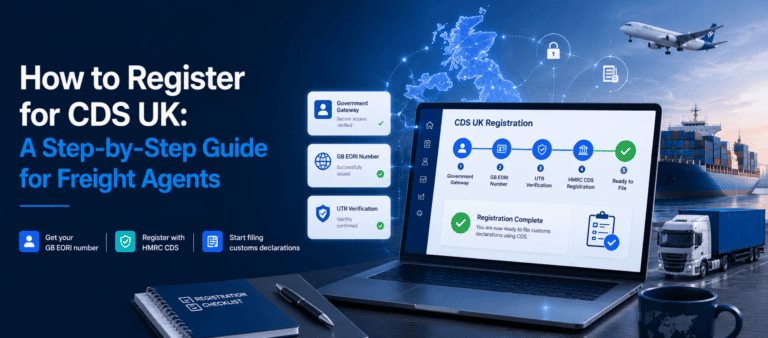
Before you can file, you need a GB EORI number and a Government Gateway account, then you subscribe to the service through HMRC. New agents usually set up access to the filing software they will work in at the same time. You also need a way to pay duty and VAT, such as a duty deferment account or a cash account held with HMRC. UK CDS Registration is usually quick once your EORI is active, but EORI processing can take a few working days, so start there. Getting these basics in place early avoids a stalled first shipment.
How a Customs Declaration is Filed?
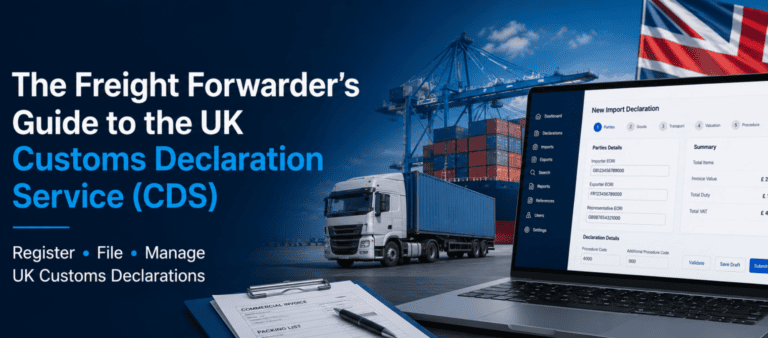
An import entry is built from data elements grouped into sections that cover the parties, the goods, transport, valuation, and the customs procedure. In practice the steps are simple to list: gather the commercial documents, classify the goods with the correct commodity code, choose the right procedure code, enter the values and any duty reliefs, then submit to HMRC and answer any queries. Clearance can be almost instant when the data is clean, or held if HMRC flags a check. Software that validates the entry before it is sent cuts down the back-and-forth and the risk of a rejection.
Customs Procedure Codes
Customs procedure codes tell HMRC what is happening to the goods, for example a standard import to free circulation or entry into a customs warehouse. The service uses a four-digit Procedure Code together with a three-digit Additional Procedure Code, a change from the single code agents used under CHIEF.
Picking the wrong code is one of the most common reasons an entry is rejected or duty is miscalculated, so it is worth slowing down here. Our full guide to CDS procedure codes breaks down the structure and the codes that apply to imports.
Common CDS Errors and How to Avoid them
Most customs declaration problems come from a short list of issues: the wrong commodity code, an incorrect customs value, a mismatched procedure code, or missing document references. Each one can trigger a query, a delay, or an HMRC penalty.
Agents keep these down by checking commodity codes against the current tariff, matching values to the invoice, and reviewing the entry before submission rather than after a rejection. A quick second check is far cheaper than a held shipment.
Choosing Customs Declaration Software
Most agents file CDS through software rather than HMRC’s interface. When comparing options, look for HMRC recognition, built-in validation that catches errors before submission, support for commodity code classification, and bulk filing if you handle high volumes. iCDS is an HMRC-recognised platform built for exactly this work. It validates entries, helps assign commodity codes, and lets agents submit a UK import declaration in around three minutes, which is where most of the time saving comes from.
Frequently Asked Questions
Do freight forwarders have to register for customs declaration service CDS?
Yes. To submit customs declarations electronically you must be registered for the service, with an active GB EORI number in place first.
Has CDS replaced CHIEF?
Yes. The customs declaration service has already replaced CHIEF for both import and export declarations, so every UK entry now goes through it.
How long does customs clearance take after filing the declaration via software?
When the customs declaration data is accurate, clearance can be almost immediate. Customs delays usually come from data errors, wrong product classification or an HMRC check.
Can one agent file CDS for several clients?
Yes, acting as a direct or indirect representative to file the CDS. The type of representation affects who holds the liability for the entry.
What do I need before my first CDS declaration?
For CDS declaration, a GB EORI number, access to the service, a way to pay duty and VAT, and the commercial documents for the shipment.
You may also like:

Struggling to Extract, Catagorise & Validate Your Documents?

Capture & Upload Data in Seconds with AI & Machine Learning
Subscribe to our Newsletter
About iCustoms
iCustoms is an all-in-one solution helping businesses automate customs processes more efficiently. With AI-powered and machine-learning capabilities, iCustoms is designed to streamline your all customs procedures in a few minutes, cut additional costs and save time.
Struggling to Extract, Catagorise & Validate Your Documents?
Capture & Upload Data in Seconds with AI & Machine Learning