

The iCustoms AI-Driven IDP: A Step-by-Step Workflow
- Freya Jane
- Director of Customer's Success
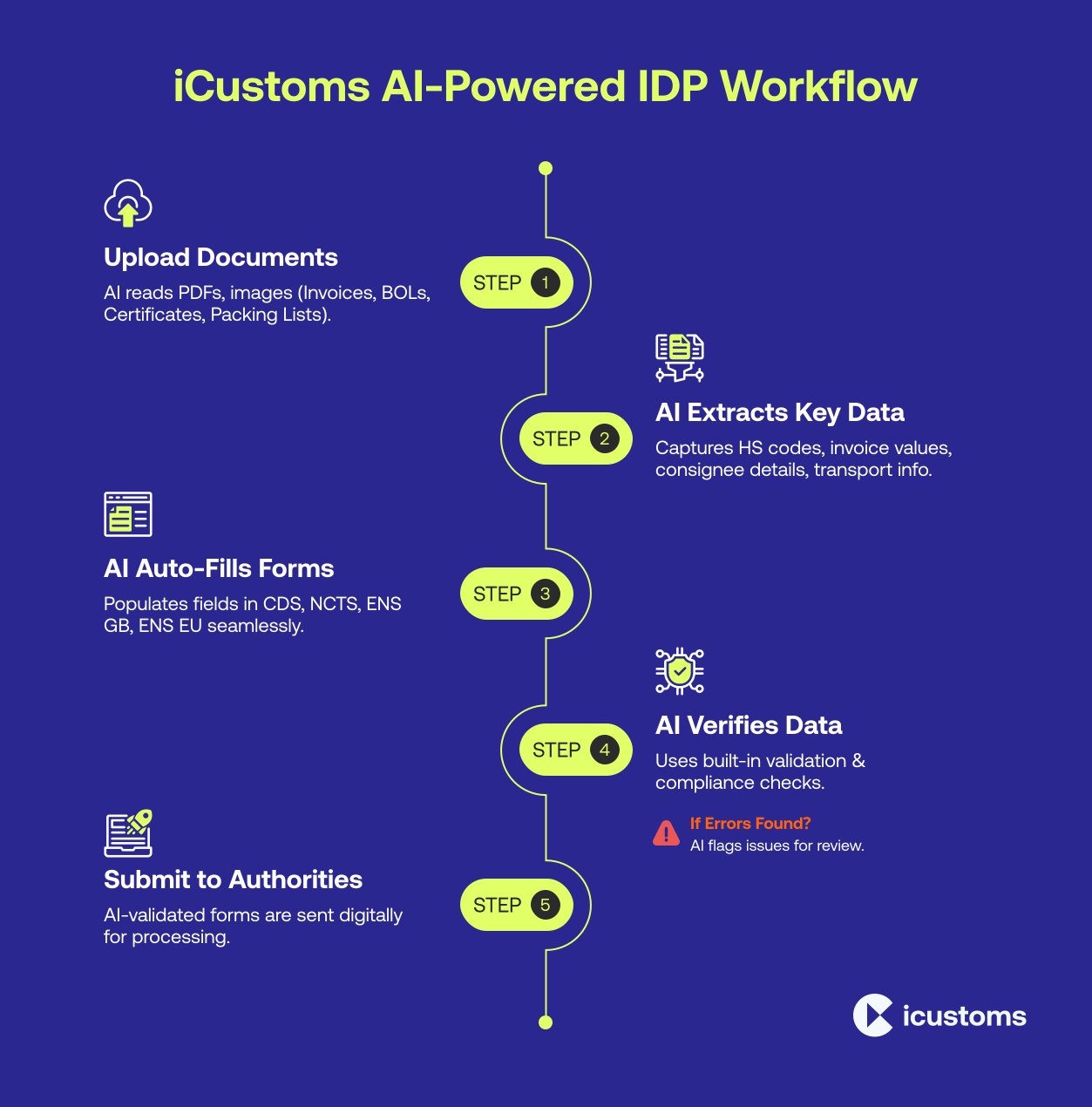
The Intelligent Document Processing (IDP) solution from iCustoms is a combination of machine learning (ML), artificial intelligence (AI), character recognition (OCR), and other cutting-edge data extraction technologies.
Together, these tools help you handle customs declarations and other trade-related procedures more quickly, accurately, and efficiently.
We will explain in this blog how our AI-powered IDP works with all of our products to simplify your procedures.
By automating time-consuming processes like data extraction, form-filling, and verification, iCustoms IDP frees you up to concentrate on what truly matters: maintaining the efficiency of your business operations.
For customs brokers managing document volumes across multiple clients simultaneously, iCustoms IDP is the AI customs broker document tool that processes each shipment’s paperwork in parallel reading, classifying, and extracting from all document types in a single upload session rather than one document at a time.
To streamline your procedures and save time, stick to these guidelines:
How IDP AI extracts data from documents
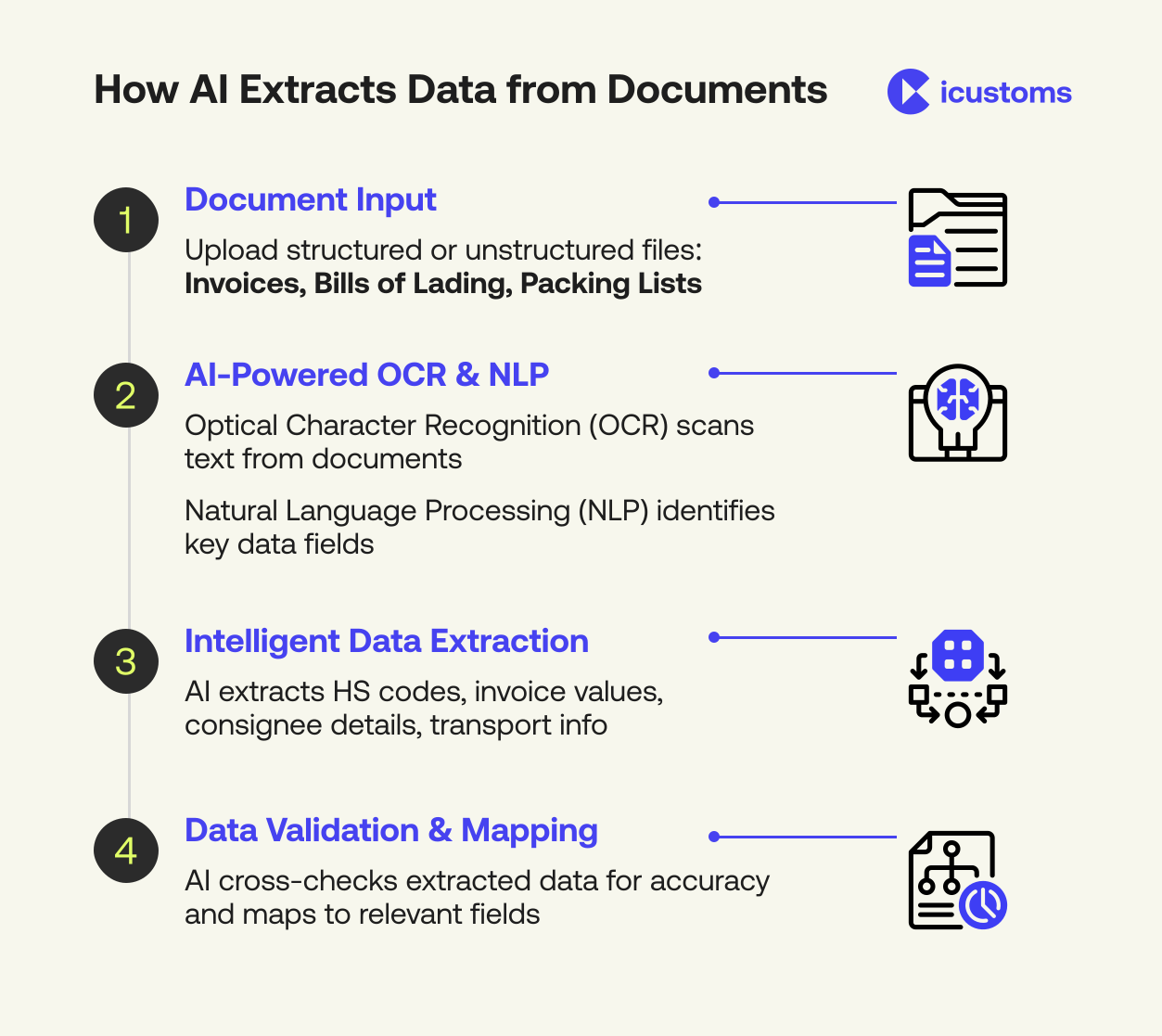
Step-by-step IDP workflow when using CDS
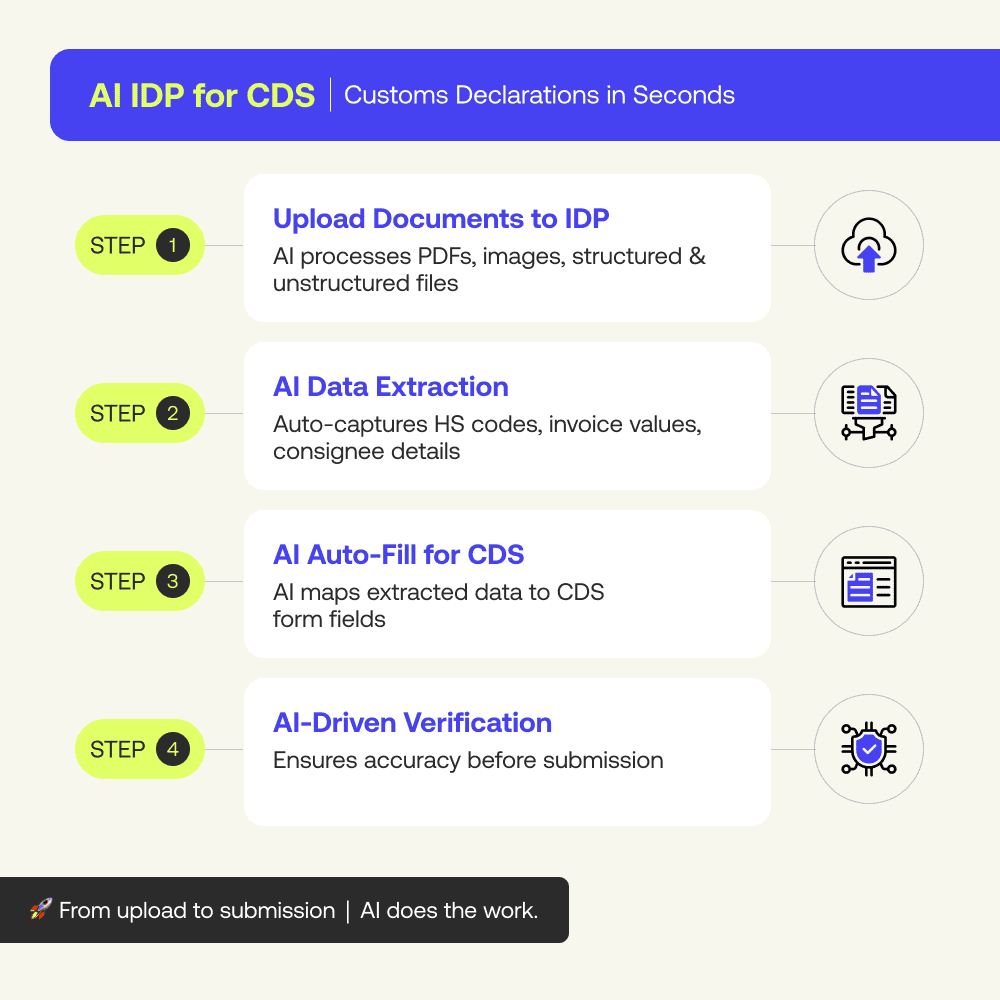
Intelligent document processing (IDP) uses AI, machine learning, and other technologies that automate the data extraction and filling process in CDS, saving you time and cost. Here is how you can use IDP:
Step 1: Upload your documents
When you’re using iCustoms iCDS to declare your customs, you’ll need to upload the necessary trade documents to IDP in the first step. Your documents could be in any form, such as PDF, PNG, JPG, or JPEG files. Commonly, these documents are:
- Commercial invoice
- Bill of lading/airway bill
- Packing list
- Certificate of origin
IDP’s new feature, i.e., iCheck, classifies the documents on the basis of their types, such as invoice, bill of lading, or packing list.
Step 2: Let IDP extract data
Once you upload the documents, our AI-powered IDP will automatically extract important data. It will extract product descriptions, HS codes, and invoice values from the invoices and information about the consignee, port, and transport from the bill of lading.
As a dedicated scan commercial invoice customs software, iCustoms IDP handles any invoice format scanned PDFs, image files, or digitally generated documents reading the layout automatically without requiring templates, so even first-time supplier invoices are processed accurately from the first upload.
Furthermore, our IDP also extracts information about the country of manufacture and applicable trade agreement from the certificate of origin.
Smart data tools used:
- iCombine: Merge data from invoices, CMR, or TIR Carnets
- iTeach: Train AI for unique document formats
- iMarker: Highlight shipment-specific data
Step 3: Fill the CDS form automatically
IDP will fill up the appropriate CDS form fields for you after extracting the data. It will map the information about product descriptions and quantities in the goods section and consignee and consignor information in the address fields.
IDP also maps HS codes against the tariff and tax fields of the CDS, which is used to calculate taxes.
Step 4: Verify the data with AI
Our IDP used human-in-the-loop and element and AI to verify the data in the CDS form and notify you in case of inaccurate or incomplete information.
Once the AI verifies the data, you can confidently send the filled CDS form to the customs officials. iList stores the validated submission data for faster future declarations.
Intelligent Document Processing for Email Driven Operations
Intelligent document processing for email driven operations helps businesses automatically capture, classify, and extract data from invoices, shipping documents, customs forms, and PDF attachments received through email. AI powered IDP workflows reduce manual document handling, improve validation accuracy, and accelerate logistics, customs, and trade compliance processes.
Step-by-step IDP workflow when using NCTS
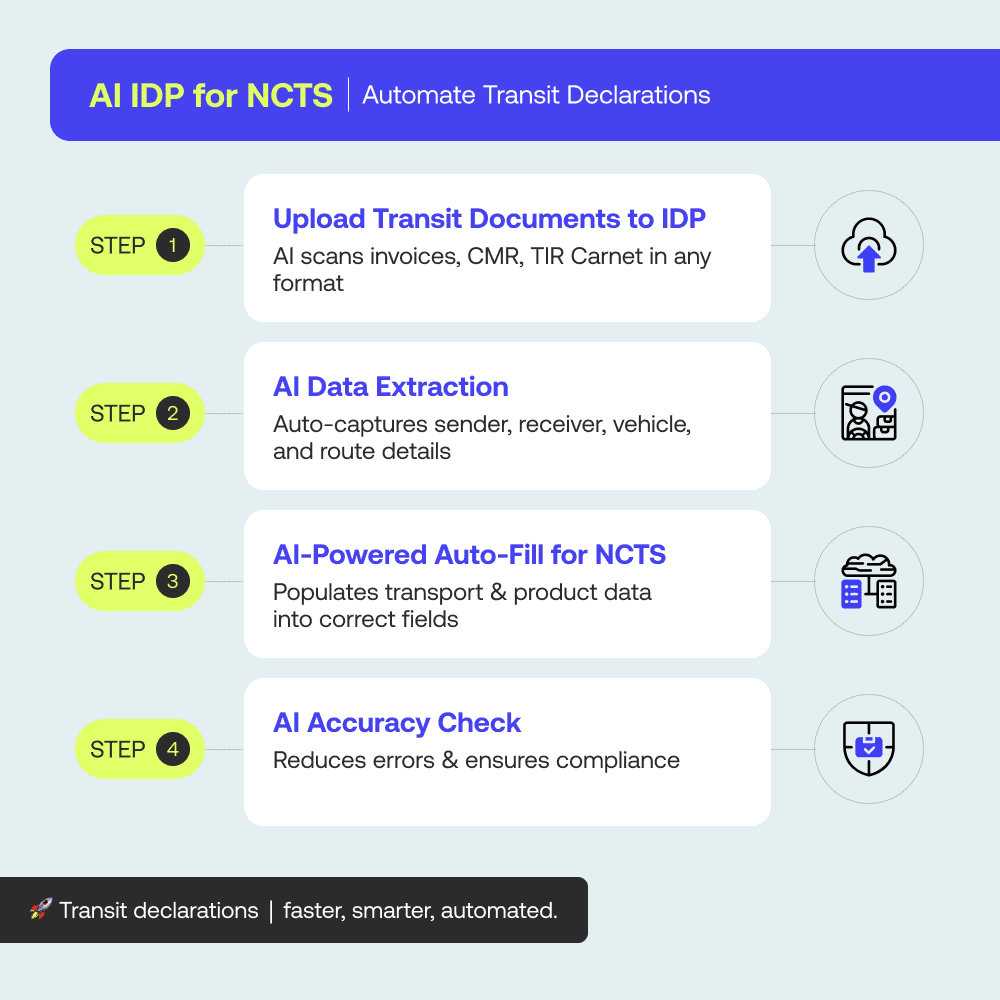
When using iCustoms’ New Computerised Transit System (NCTS), IDP can help you avoid errors and complete transit declarations faster. Here’s how IDP is used in NCTS:
Step 1: Upload the documents
Begin by uploading the documents containing information about transit to the IDP via drag-and-drop, email, or API. The documents could be in any form, structured or unstructured. The common documents are:
- Commercial invoice
- CMR (Road consignment note)
- TIR carnet
- Packing list of documents
IDP’s new feature, i.e., iCheck, classifies the documents on the basis of their types, such as invoice, bill of lading, or packing list.
Step 2: Extract data with IDP
After uploading the documents, our IDP will automatically extract important information from the documents.
It gathers sender, receiver, and destination data from the transit declaration form.
It extracts product values, quantities, and descriptions from the commercial invoice.
It extracts transport-related data from the CMR or TIR Carnet, including route information and vehicle registration numbers.
Smart data tools used:
- iCombine: Merge data from invoices
- iTeach: Train AI for unique document formats
- iMarker: Highlight shipment-specific data
Step 3: Fill out the NCTS form automatically
The IDP uses AI technologies to automatically map the extracted data against relevant fields on the NCTS form. It fills in the sender and receiver information, product description and quantities, and tracking and transport details accurately in the NCTS form.
Step 4: Verification of the information
After filling out the form, IDP uses a human-in-the-loop element to cross-check the information and notify you of any mishaps, saving you from errors and delays.
Step-by-step IDP workflow in the ENS GB & ENS EU
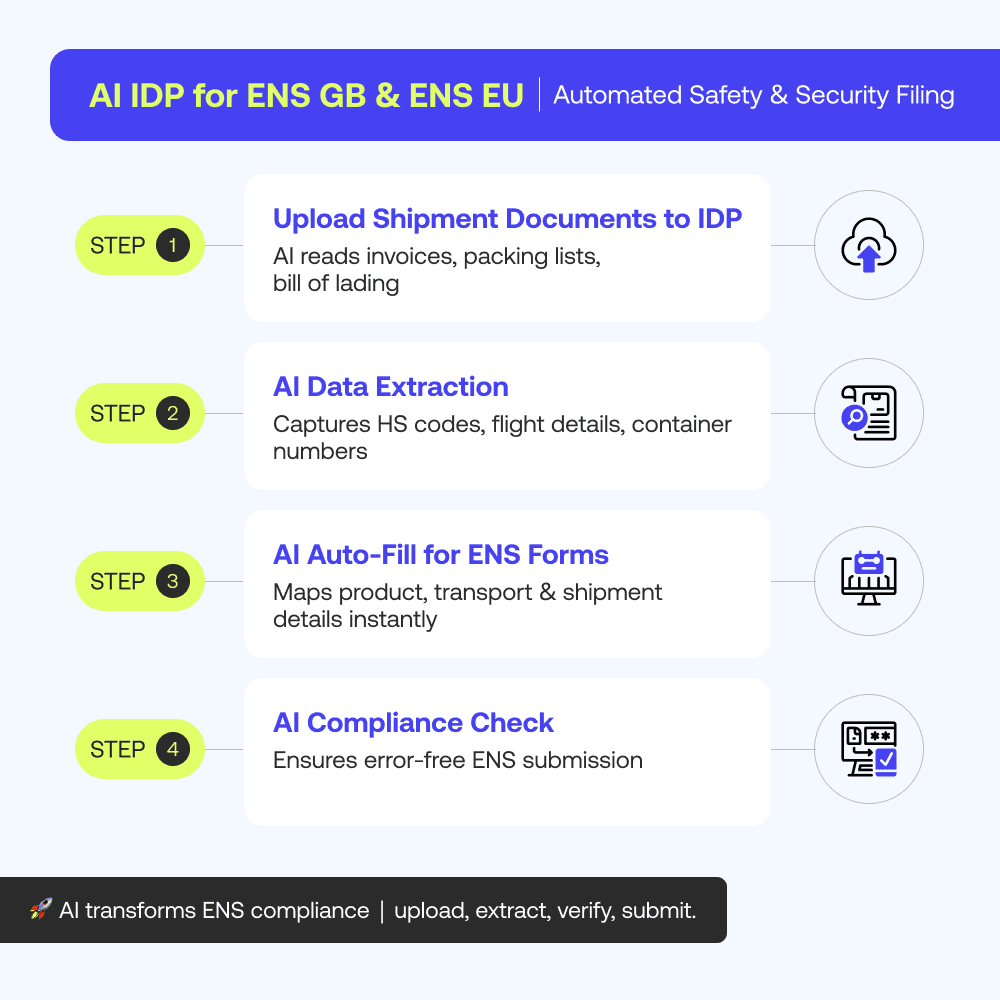
When you need to submit safety & security declarations to the safety & security system of GB or ICS2, you can use our IDP to automate the initial steps of the procedure. The steps involve:
Step 1: Upload your documents
Start by uploading the necessary documents for shipments going to the UK and EU using drag-and-drop, email, or API integration. The documents are:
- Business invoice: Information on the products, such as their values, quantities, and descriptions.
- Bill of lading: Shipment details, such as the flight number and the ports of loading and unloading.
- Packing list: A detailed inventory of the items being shipped.
IDP’s new feature, i.e., iCheck, classifies the documents on the basis of their types, such as invoice, bill of lading, or packing list.
Step 2: Use IDP to extract data
In the next step, IDP will automatically extract the required data from the uploaded documents.
- It extracts product descriptions, HS codes, and invoice values from the commercial invoice.
- It extracts port information, container numbers, and vessel/flight details from the bill of lading.
- It extracts item counts, weights, and dimensions from the packing list.
Smart data tools used here are:
- iCombine: Merge multiple documents into a single clean shipment record
- iTeach: Manually label fields for non-standard formats
- iMarker: Highlight shipment-specific data points
Step 3: Fill out the ENS GB and ICS2 form automatically
Using the extracted data, our IDP fills out the ENS GB and ENS EU forms. The product description and quantity details go in the item description/section, and vessel/flight details are mapped in the transport section.
Step 4: Verify and send
IDP uses AI to verify the information against the authority to ensure accuracy. Once the verification is done, you can electronically submit the ENS.
iList stores the validated data for quick future submissions.
This complete sequence from document upload through extraction, form-filling, AI verification, and electronic submission is what makes iCustoms IDP a true automated customs documentation platform: no manual steps remain between receiving a supplier document and submitting a compliant declaration to the relevant authority.
By following these simple steps, you can easily use iCustoms IDP to optimise your CDS, NCTS, ENSGB, and ICS2 workflow. IDP reduces manual labour, boosts accuracy, and guarantees compliance whether you’re managing entry summary statements, transit activities, or customs declarations.
Frequently Asked Questions
How does iCustoms AI-Driven IDP simplify customs declarations?
iCustoms automatically extracts, validates, and maps data from trade documents into customs declaration forms, reducing manual work and accelerating compliance processes.
What document types can iCustoms IDP process?
iCustoms IDP can process commercial invoices, packing lists, bills of lading, airway bills, certificates of origin, CMRs, TIR carnets, and other trade-related documents.
Can iCustoms IDP automatically populate CDS, NCTS, ENS GB, and ICS2 forms?
Yes. iCustoms extracts shipment data from uploaded documents and automatically fills the relevant declaration fields for CDS, NCTS, ENS GB, and ICS2 submissions.
How does iCustoms ensure data accuracy before submission?
iCustoms combines AI validation with human-in-the-loop verification to identify missing, incomplete, or inconsistent information before declarations are submitted.
What are the benefits of iCustoms tools such as iCombine, iTeach, iMarker, and iList?
These tools help merge shipment data, train AI on unique document formats, highlight critical fields, and store validated declaration data for faster future submissions.
You may also like:
Struggling to Extract, Catagorise & Validate Your Documents?

Capture & Upload Data in Seconds with AI & Machine Learning
Subscribe to our Newsletter
About iCustoms
iCustoms is an all-in-one solution helping businesses automate customs processes more efficiently. With AI-powered and machine-learning capabilities, iCustoms is designed to streamline your all customs procedures in a few minutes, cut additional costs and save time.
Struggling to Extract, Catagorise & Validate Your Documents?
Capture & Upload Data in Seconds with AI & Machine Learning